Not all recruiters search the same way - so why should your Quick Search work the same for everyone?
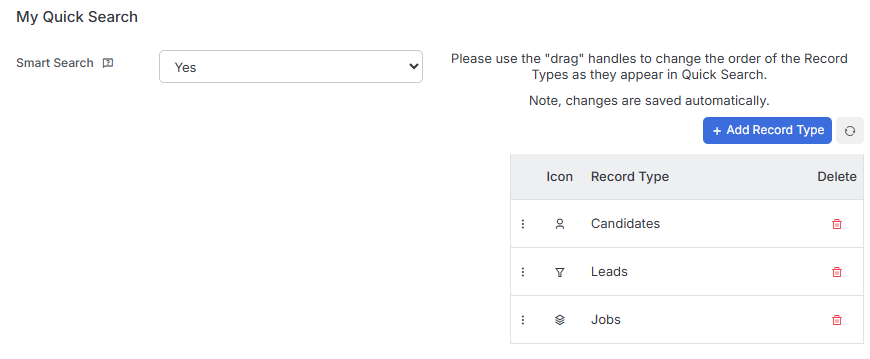
With Quick Search settings in My Settings, you’re in control of how results are surfaced and ordered.
Smart Searching moves your experience beyond simple alphanumeric lists. Enable it and your results instantly become more relevant - records you own rise to the top, followed by items you’ve recently viewed. Less scrolling, faster results.
Record Type Order lets you decide which record types appear first. Resourcers can put Candidates front and centre. BD consultants can lead with Companies. Set it once and your Quick Search works the way your role demands.
Two simple settings. One smarter search experience.
Head to My Settings today and configure Quick Search to fit your workflow.