
Save time navigating itris X by using hyperlinks and quick links to jump straight to the records you need.
Hyperlinks
Throughout itris X, you will see hyperlinks in record views that let you jump directly to related records, such as a contact, company, or job.
There are a few ways to open these depending on where you want the record to load:
- Click the link to open the record in the current page
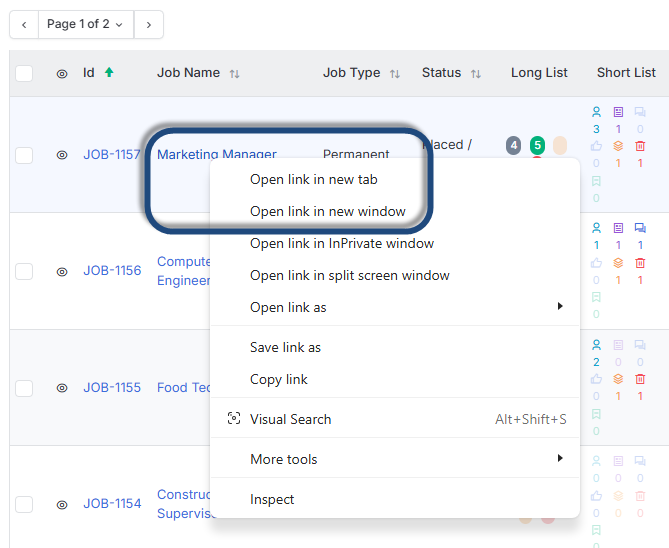
- Right-click the link and choose Open in New Tab or Open in New Window
- Hold Ctrl on your keyboard and click the link to open in a new tab
- Hold Shift on your keyboard and click the link to open in a new window
Opening records in a new tab or window is especially useful when you want to keep your current view in place while referencing another record.
Quick Links
As well as hyperlinks, itris X displays quick link icons on record views that give you fast access to associated records. For example, when viewing a job record, you may see icons to open the linked company or contact directly, either in the current window or in a new window.
These quick links save you from navigating back through search or lists when you need to check a related record mid-workflow.
