🔥Default Owner for Applicants via Job Board🔥
We’ve added a new setting that controls who is assigned as the Candidate Owner when a candidate is created through a Job Board application.
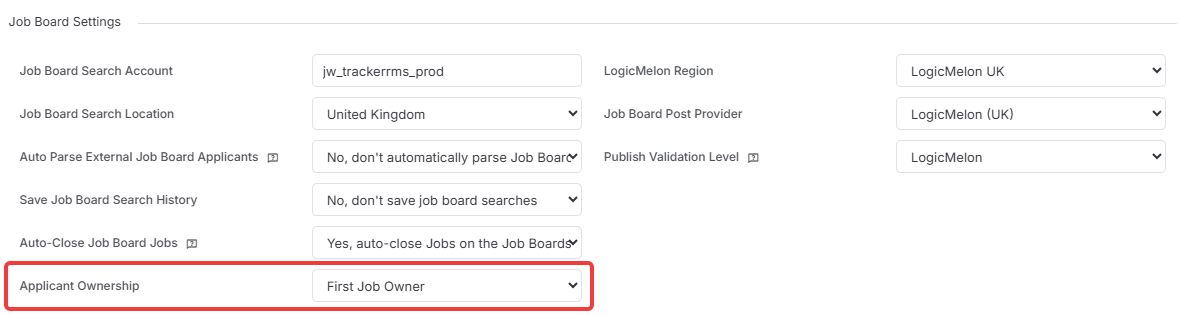
In Tools & Settings > Applications Settings > Job Settings, under the Job Board section, a new dropdown lets you choose from the following options:
- First Job Owner - assigns ownership to the first owner listed on the job
- Main Job Posting Contact - assigns ownership to the primary contact for the job posting
- Default Candidate Owner - uses the default owner defined in Candidate Settings
The relevant alerts will be sent to whichever user is assigned ownership.
This gives customers the flexibility to align the setting with their individual workflows.
🔥Longlist Results | Quick View CV/Resume Hit Count & Exact Match Only🔥
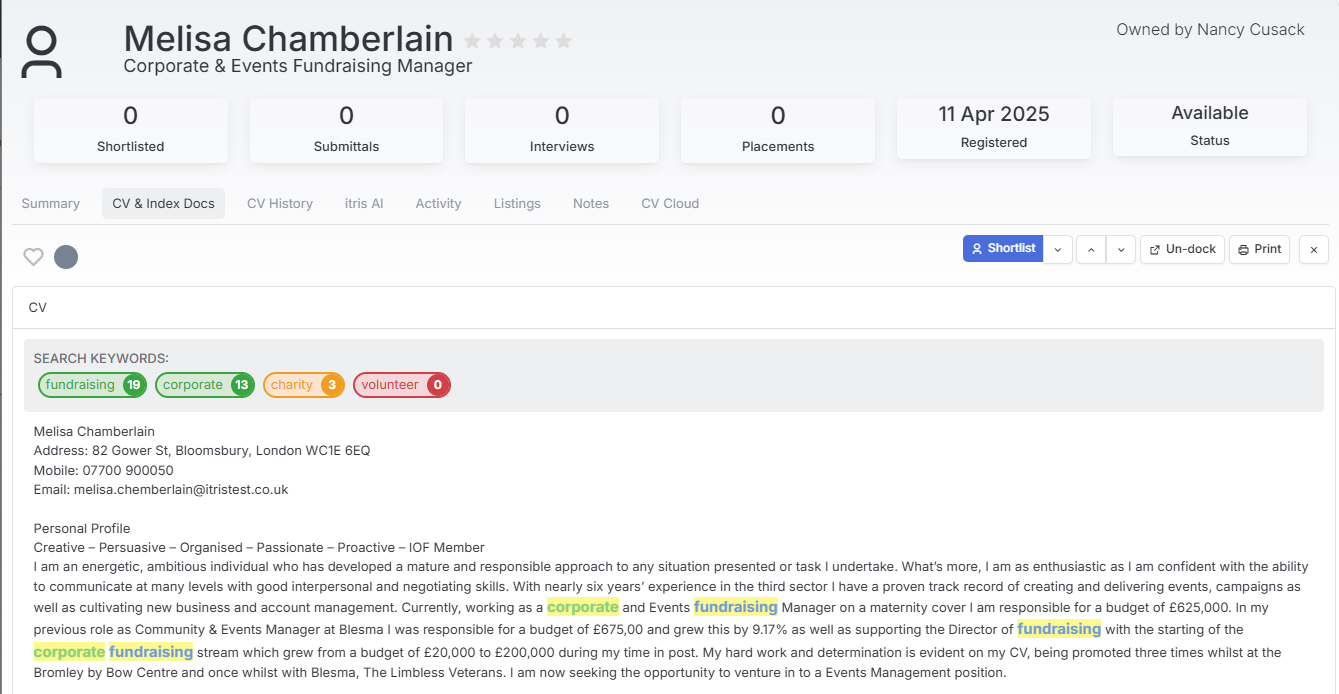
The Search Keywords banner on the Longlist | Quick View | CV/Resume tab has been updated to show only exact keyword matches (case-insensitive), removing the partial match counts that were previously displayed.
This brings the banner in line with the Longlist view itself, which has always counted exact matches only, ensuring a consistent and accurate keyword indicator across both surfaces.
Matched keywords as well as being highlighted directly in the CV/Resume, are colour-coded to make it easy to see at a glance which search terms appear and where.
Freezing Headers
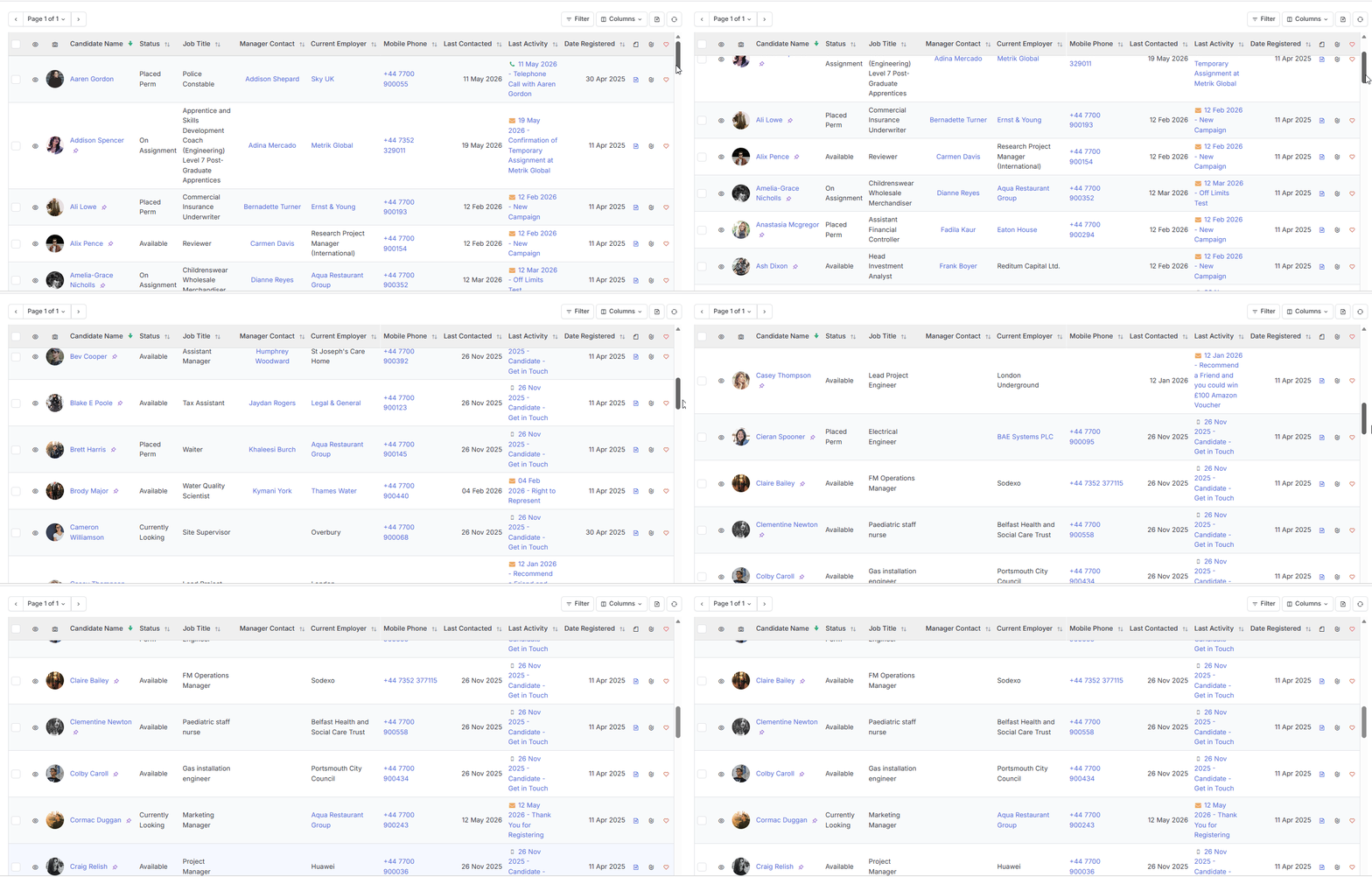
Freeze Headers on Record Views
Headers now freeze across all 8 list views - Companies, Contacts, Candidates, Leads, Jobs, Placements & Activities.
Scroll through hundreds of records while hovering over your data, and the header row stays locked in place, so you always know exactly what you’re looking at.
All existing functionality remains untouched, this is a pure win for anyone working through long lists.
Freeze Headers on Lists and Reports in Dashboards
The same great functionality now extends to your dashboards. Hover over any embedded list or report and scroll and the header stays put.
No more losing track of which column is which as you dig into your dashboard data.
Freeze Header within Reports Module
And we’ve gone even further, headers now freeze throughout the entire Reports module, whether you’re in view mode, edit mode, or working in a detached screen.
Wherever you are in Reports, your header row stays visible, keeping your data anchored and easy to read no matter how far you scroll.
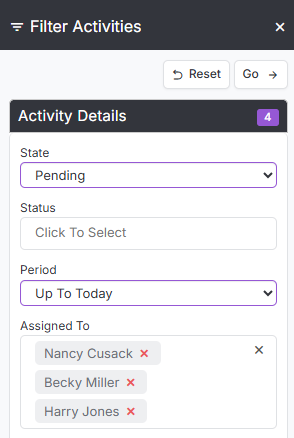
Activity View | Assigned To Filter
You can now select multiple values for ‘Assigned To’ in the Activity view filter
No more filtering one person at a time, now you can pull up activities for your whole team, or any combination of people, in a single view.
Perfect for managers checking in on multiple team members at once, or anyone who just wants a fuller picture without running the filter over and over.
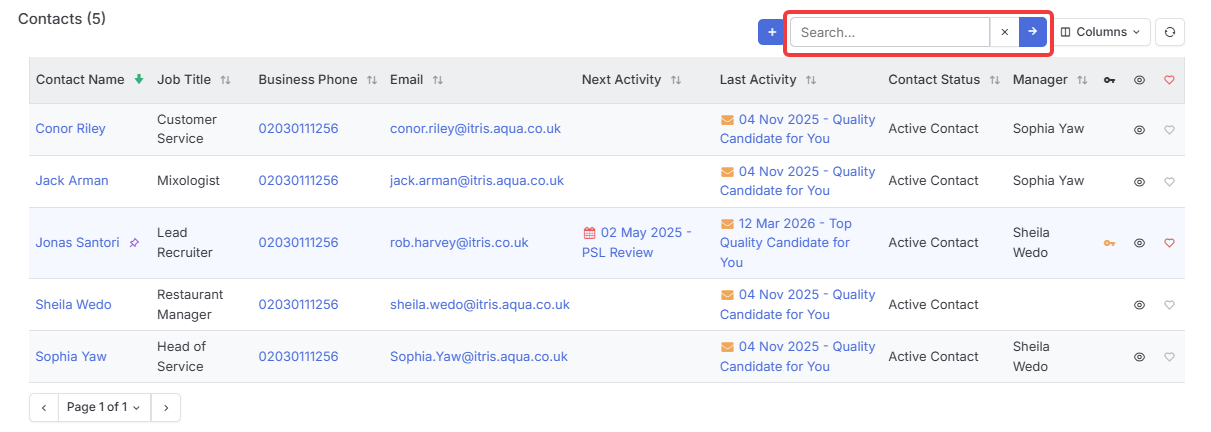
Company Records > Contact Block | Search
We’ve added a search bar to the Contact Block on Company records allowing you to search contacts by Name, Email Address, Job Title, Contact Type & Contact Role.
This seemingly small change is a big time-saver.
No more scrolling through large contact lists to find the person you need, now just type a few characters to find them quickly.
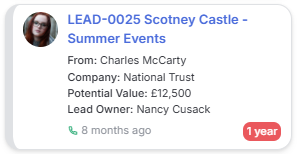
Leads Kanban
The Leads Kanban board now displays From, Company & Owner on separate lines - giving you a clearer, more complete view of every lead at a glance.
Previously, the card only showed the contact, leaving Company and Owner hidden from view.
Now each detail gets its own line, so you can instantly see who a lead is from, which company they belong to, and who owns it. Any longer text that doesn’t fit on the card can be viewed in full with a hover over.
Additionally, to keep things clean, these details won’t appear if there’s no data for that field, so the board stays uncluttered.