🔥Placement View | Job Compliance🔥
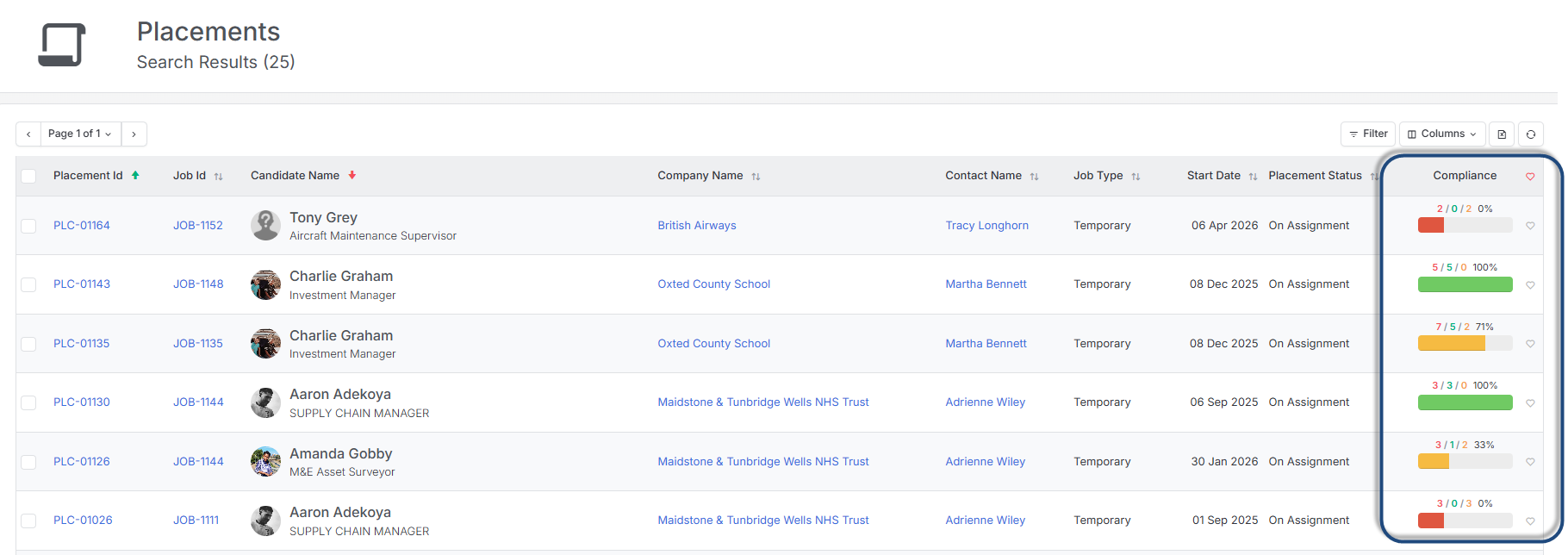
Managing Candidate Job compliance just got easier. The Compliance column is now available in Placement Views, giving you a real-time snapshot of compliance status across your entire placement list, no need to open individual records.
For each placement, you can see at a glance the total number of compliance items required for the job, how many have been verified, and how many are still outstanding.
A new Compliant/Non-Compliant filter lets you quickly isolate placements that need attention, making it easier to spot gaps, prioritise follow-up, and keep your compliance process on track before issues arise.
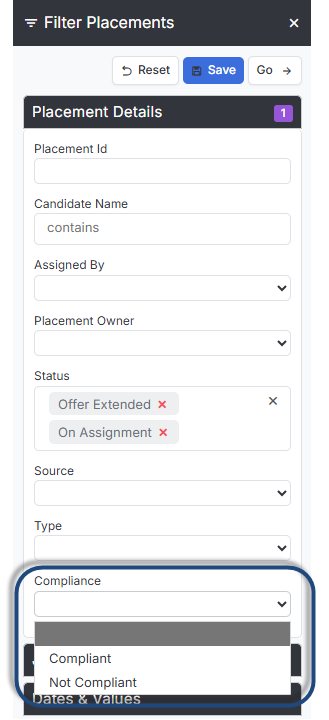
For example, filter by Offer Extended and Non-Compliant to instantly see every candidate who still has outstanding compliance items before they are placed, giving you time to act before it becomes a problem, reducing last-minute delays, and providing a clear, reportable view of compliance across your pipeline that would previously have required opening records one by one.
You can also use the filter at the start of each week to run a quick compliance health check across all active placements, catching anything outstanding early and keeping your records audit-ready at all times.
🔥Market CV Templates – Email Signature Tag 🔥
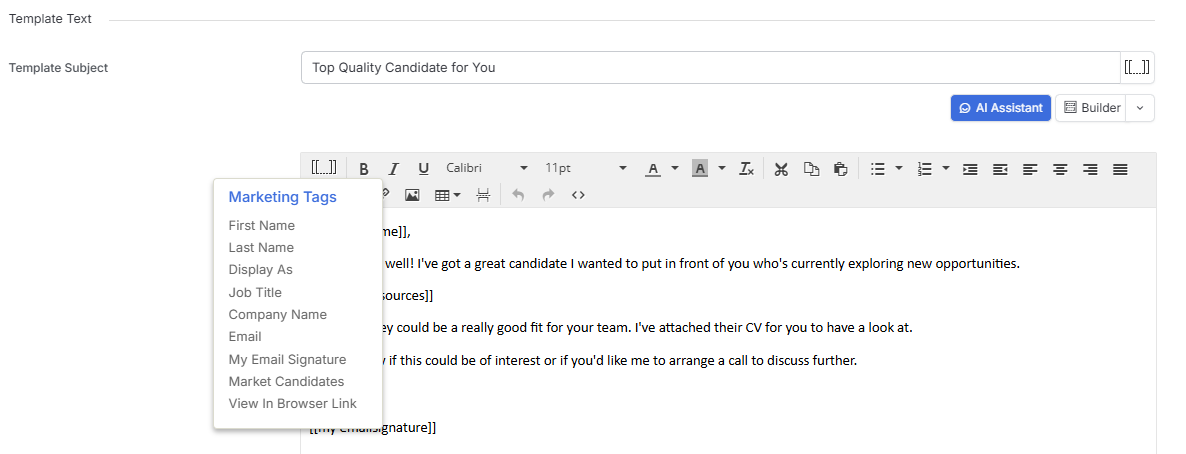
A small but handy addition: the [My Email Signature] tag is now available in Market CV Templates.
Previously, personalizing signatures meant either creating a separate template for each user or settling for a generic sign-off. Now, a single template can automatically pull in each consultant’s own email signature — keeping things personal without the extra admin.