✨ Manager Prospecting | Target Candidates Past Manager ✨
When you place a candidate, their manager is often your next best lead — they’ll need to backfill that vacancy, and you’re already one step ahead. The new Manager field makes it easy to capture and act on that connection without any extra legwork.
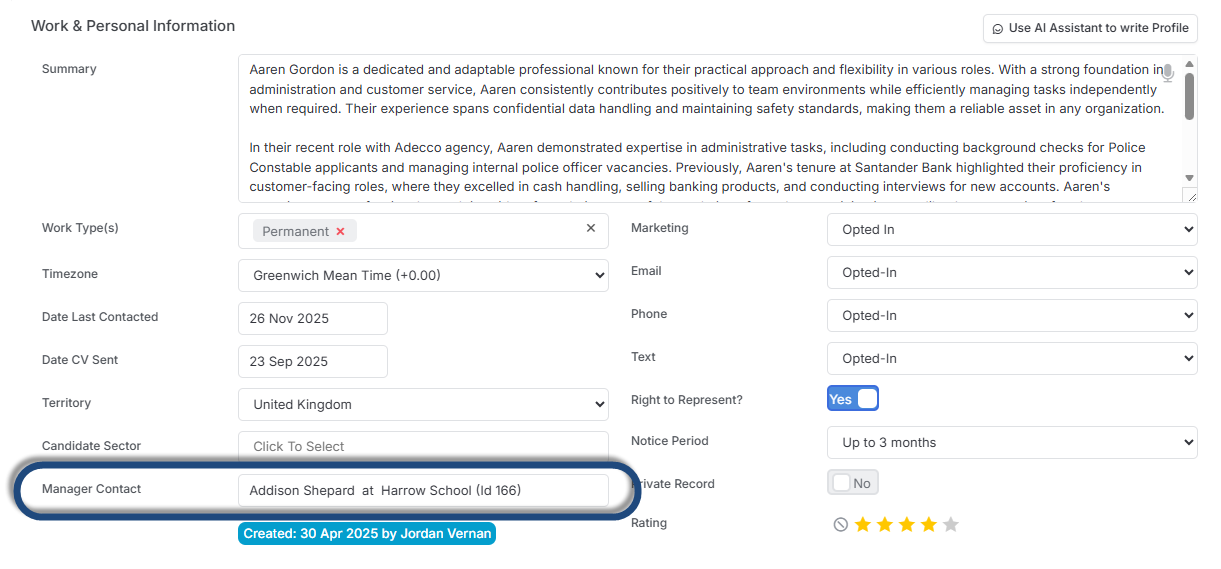
Capturing the relationship - A new Manager field has been added to the Work & Personal Information block on the Candidate record, letting you link directly to a Contact in itris.
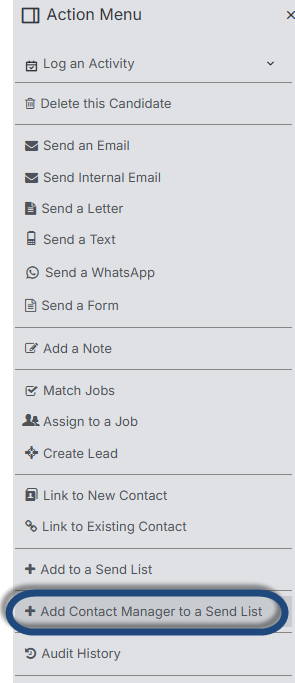
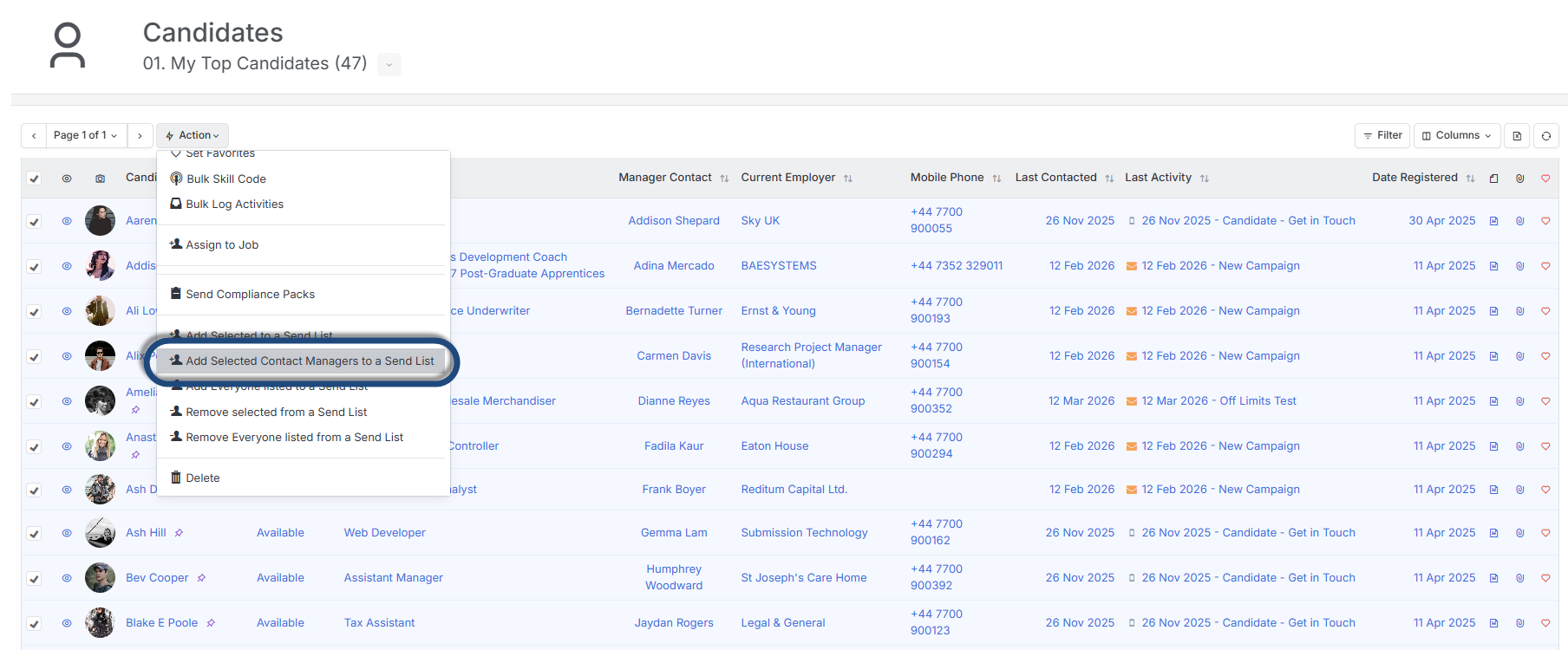
Turning it into pipeline - Use Add Manager to Contact Send List from the Action menu on the Candidate record to instantly target that manager for Business Development outreach. You can also do this in bulk from the Candidate Record View — select one or more candidates and add their linked managers to a Send List in a single action.
Getting ahead of the market - Search for recently registered candidates, identify their managers, and you have a ready-made list of contacts who are likely to have positions to fill. Use it to fire off targeted marketing campaigns or generate fresh leads before your competitors even know the role is available.
🔥 Sort by Batch Date on Invoices View 🔥
A new sort order has been added to the Invoice View allowing you to sort the list by Batch Date (e.g. the date sent to any integrated Accounts System).
This gives you more flexibility on how you work with your data.

🔥 Template Organisation - User Groups 🔥
Finding the right email template just got easier.
You can now assign templates to a User Group.

This means when you’re searching for one to use, ticking My Templates surfaces both your personal templates and any assigned to your group — no more hunting through irrelevant templates or maintaining duplicate copies just to share them across your team.
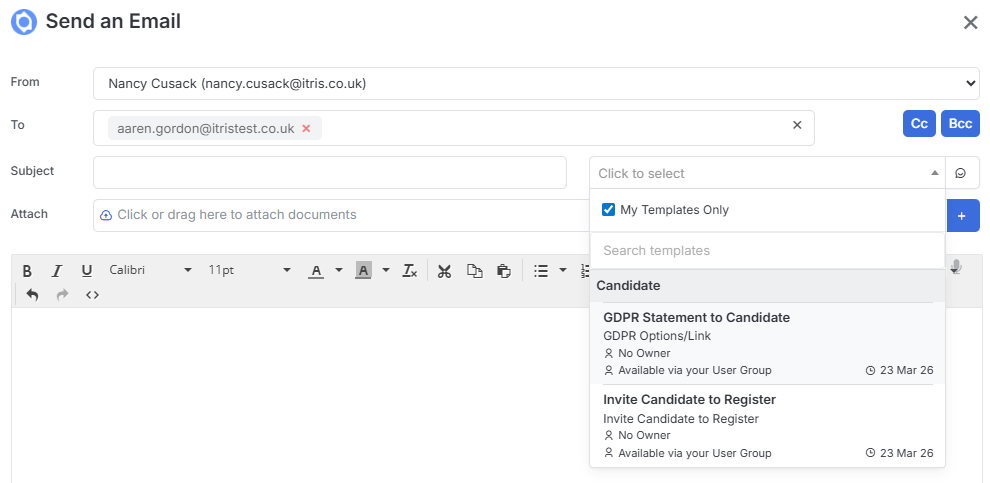
The result is a cleaner, faster workflow that keeps the right templates within easy reach, right when you need them.