✨ Postcode Radius Filters – Additional Distance Options✨
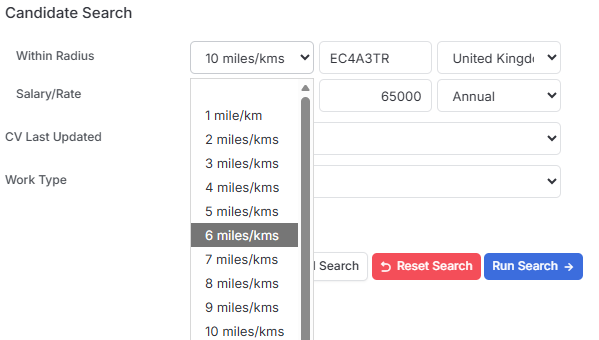
Postcode radius filters across Candidate, Company, Contact, and Job record finds, and Longlist searches, now include every mile/km increment between 5 and 10.
Previously the options jumped straight from 5 to 10 miles/km. You can now filter at 6, 7, 8, and 9 miles/km, giving you more precise control over your search radius.
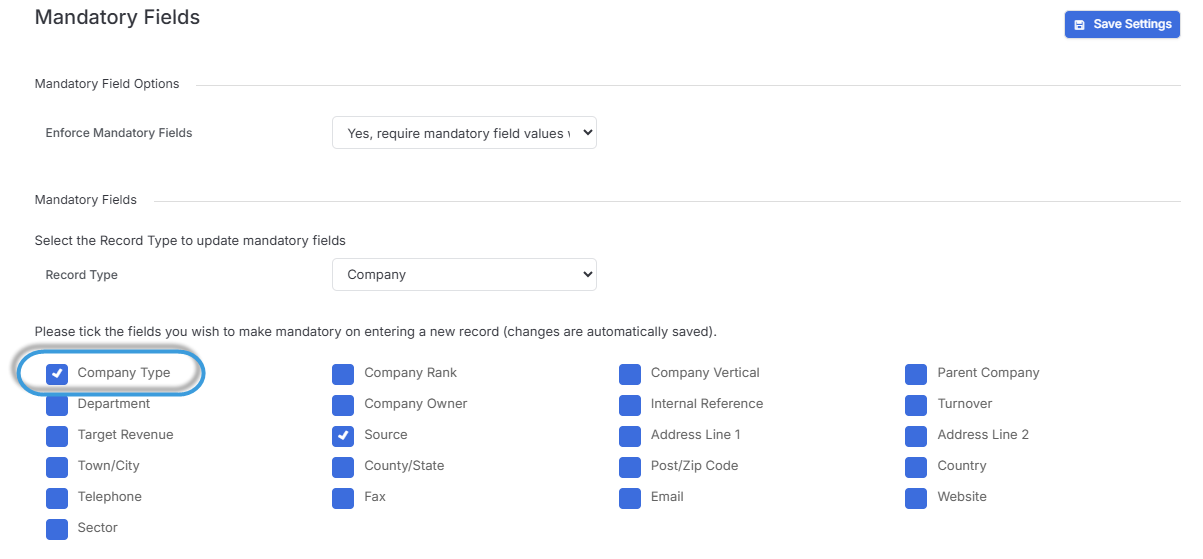
✨ Company Type added to Mandatory Fields ✨
We all know how important high quality data is and the benefits of keeping your database clean and consistent are huge. Mandatory Data gives you the power to stipulate exactly what information must be captured at the point of creating and saving a record, so nothing slips through the gaps. Think fewer incomplete records, better reporting, and a database you can actually rely on.
With the latest addition of Company Type as a Mandatory Data option, you can now ensure this key field is always populated when a company record is created or saved. Whether you’re segmenting your clients, filtering your pipeline, or running targeted activity, having Company Type consistently recorded means your data works harder for you from the moment it enters itris.
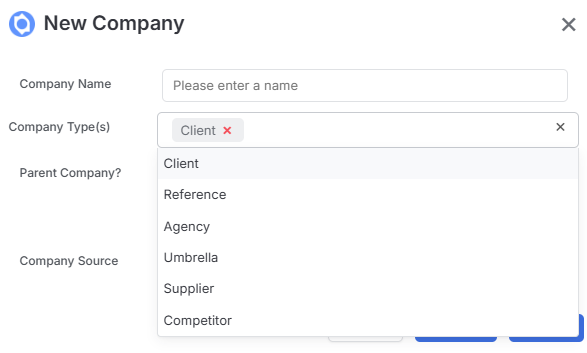
When creating a new company record the Company Types will be displayed as a list for you to choose from. Holding down control on your keyboard will allow you to multi-select Company Types.
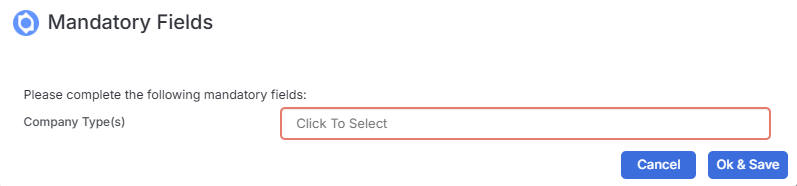
You will also be prompted to complete this field when saving an existing company without this data.
And don’t forget, Mandatory Data isn’t just for companies. You can set mandatory requirements across other record types in itris too, giving you full control over the quality and consistency of your entire database.
✨ Job Board Applicants – Shortlist Management ✨
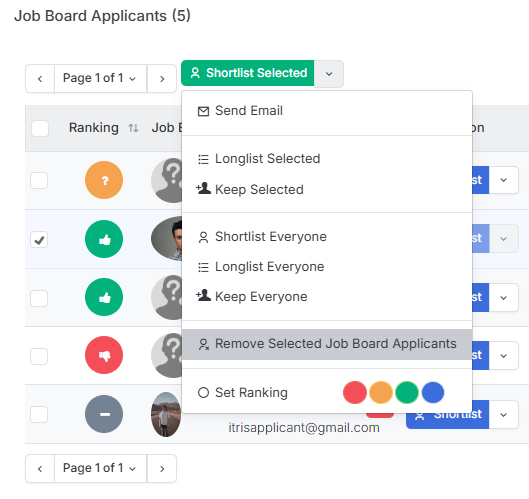
Previously, once a candidate was shortlisted from the Job Board Applicants block, the individual Shortlist button became greyed out, making it impossible to remove them using that button alone.
You can now select one or more shortlisted candidates using the tick boxes and use the Shortlist Selected button at the top of the list to remove them in bulk.
This makes it much easier to keep your Job Board Applicants list tidy and manageable — whether you’re removing a single candidate or clearing several at once.
✨ Job Board Applicants – Application Parsing Controls ✨
You now have greater control over how candidates who apply via job boards are handled in itris, right down to the individual job level.
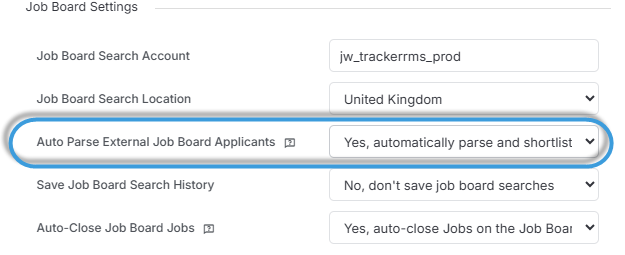
A new global default setting lets you define your preferred behaviour across the board. You’ll find this in Tools & Settings > Job Settings> Job Board Settings.
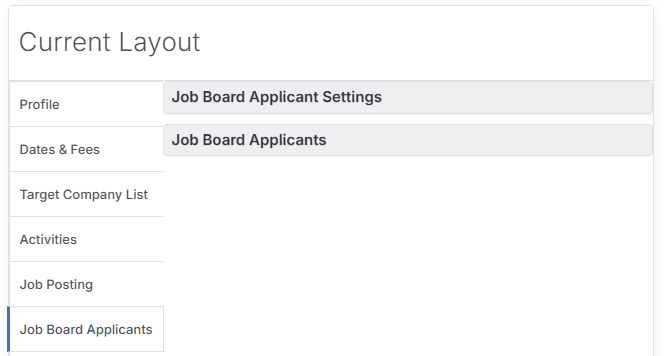
Using Layout Designer, you can add the Applicant Settings block to your job records, allowing you to override the system-wide default when viewing an individual job.
On the job record, the Applicant Routing dropdown in the Applicant Settings block lets you override the system default. If no job-level preference is set, itris falls back to the system default automatically.
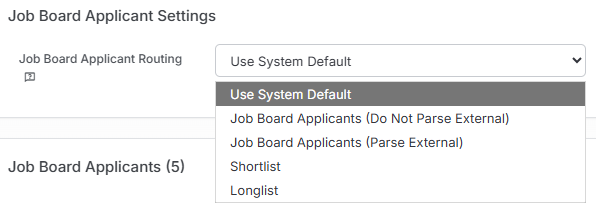
When an application comes in, you can now choose exactly what happens next:
No, don’t automatically parse applicants - the applicant appears on the Job Board Applicant block only, but no candidate record is created. This keeps your candidate database clean and uncluttered if you’re not ready to bring them in.
Yes, automatically parse applicants - a candidate record is created automatically and they’re linked to the job via the Job Board Applicants block, without being added to the shortlist or longlist. Perfect for keeping track of all applicants while deciding who to progress.
Yes, automatically parse and shortlist applicants - a candidate record is created and they’re immediately added to the job’s shortlist, so your most promising applicants are ready to review straight away.
Yes, automatically parse and longlist applicants - as above, but candidates land on the longlist instead, giving you a structured way to capture wider applicant pools before narrowing down.
Whether you’re managing high-volume roles differently from niche searches, or simply want a cleaner workflow for speculative applications, this feature puts you in the driving seat.