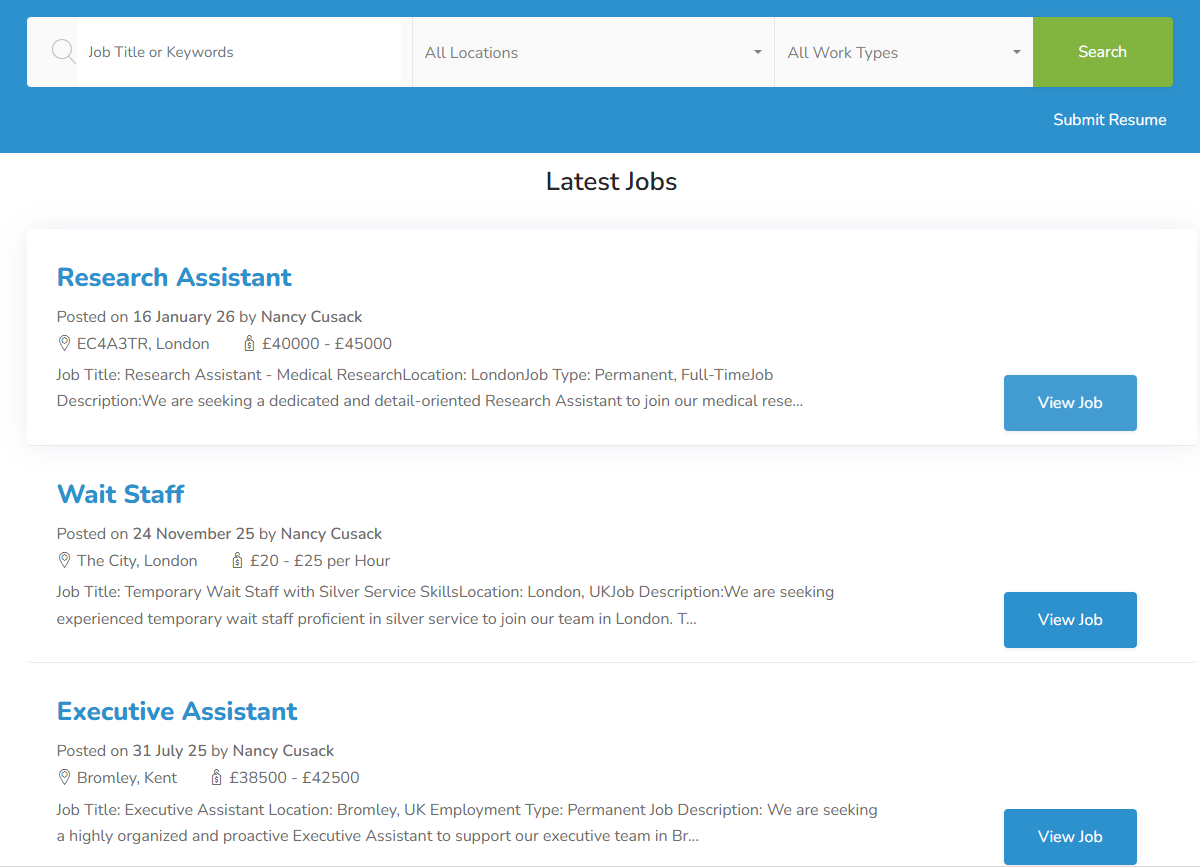
✨ Jobs Lite
Jobs Lite is a free, ready-to-use jobs page that displays all “open” published jobs with no coding required. Add your logo and choose your brand colour, and you’re ready to go. Simply toggle on “Publish to my Website” on any job record. Each job has its own direct apply link perfect for sharing on social media or emailing candidates. New candidates have their records automatically created and parsed, while existing candidates have records updated.
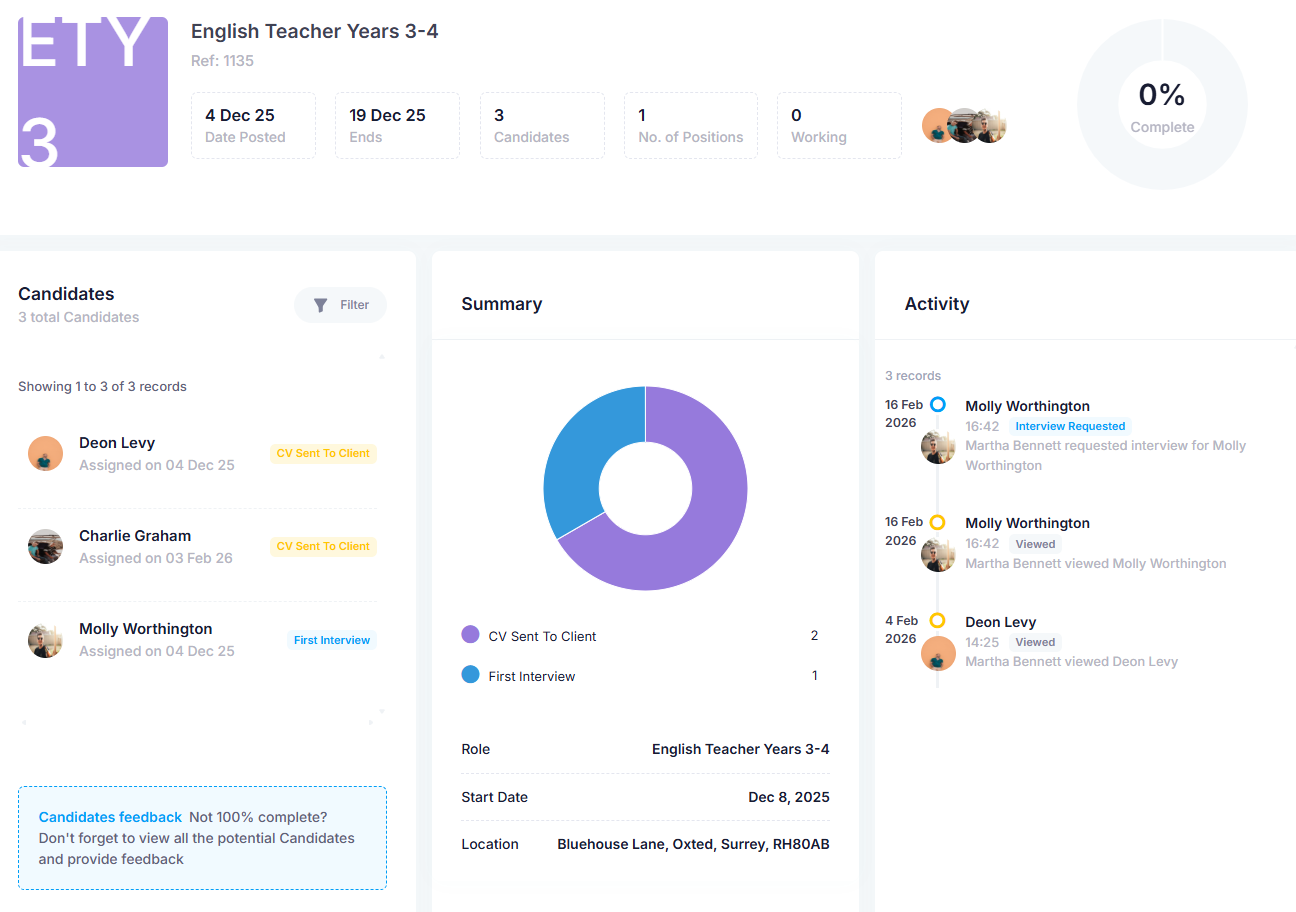
✨ Contact Job Portal
Give clients instant access to jobs, candidates, and placements through a secure online portal where they can review CVs, provide feedback, and request interviews in real-time. Generate credentials in the Contact Record, share the portal link, and choose which areas clients can access. Clients can provide star ratings, request interviews, express hiring interest, or reject candidates.
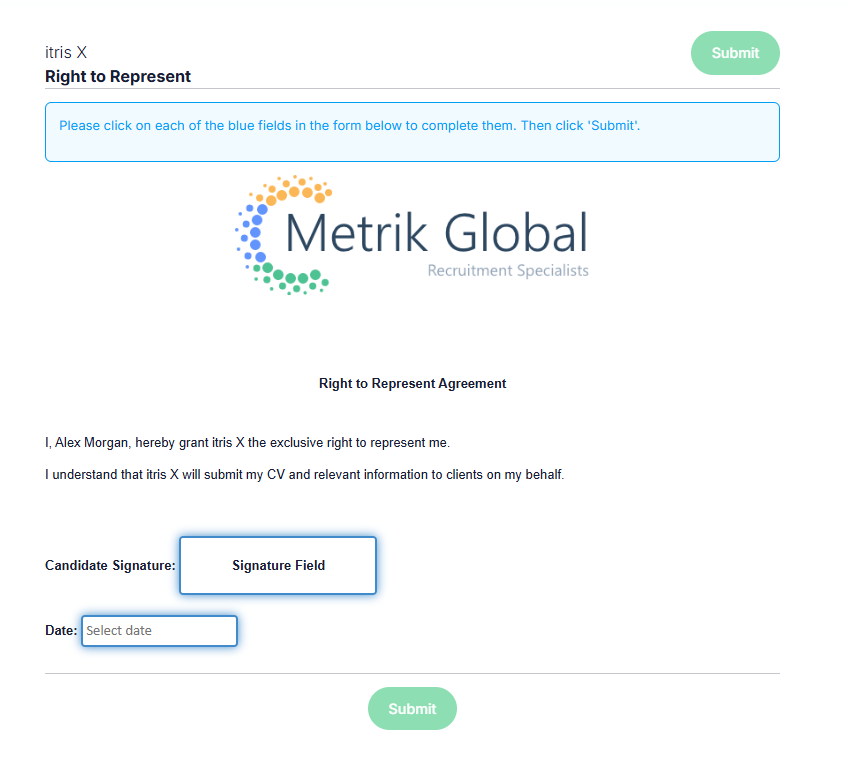
✨ Web Documents
Web Docs is itris’ built-in e-signature solution for creating, sending, and managing documents requiring signatures. Common uses include client terms of business, right to represent forms, and candidate contracts. Use the Document Designer to add tags, tables, formatting, and form fields like signature boxes. Completed forms are automatically sent to recipients and attached to records.
✨ Commissions Report
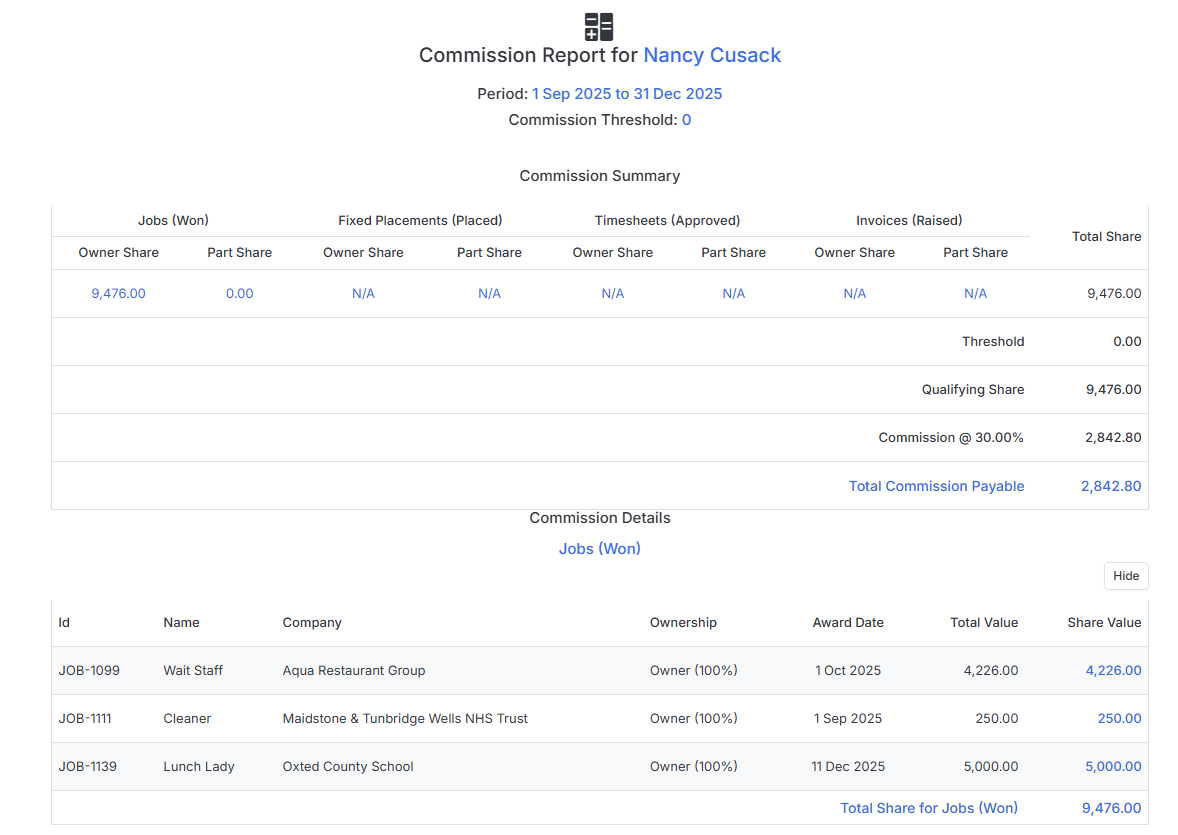
The Commission Report tracks and calculates User commissions based on sales, placements, and invoices. Available under Reporting to users with User Targets Tools permission. Commission can be reported on using Job, Fixed Placements, or Invoices data. You can also apply Banded Rate structures with up to 5 tiers.
✨ Faster Applicant Screening with RAG Rating in Candidate Quick View
Screening Job Board applicants just got a whole lot quicker.
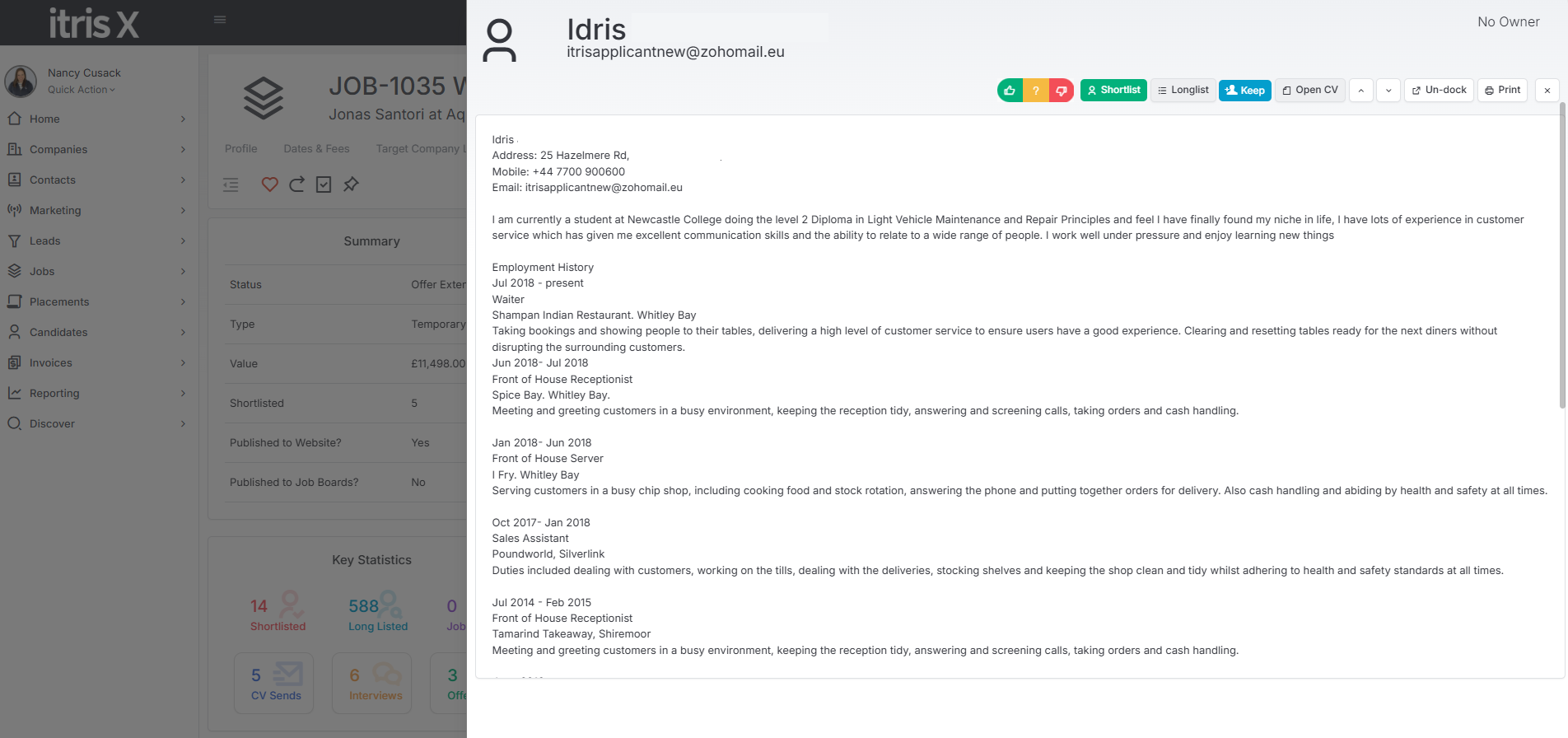
You can now apply RAG ratings directly from the Candidate Quick View screen within the Job record’s Job Board Applicants block — no more jumping between screens to assess and categorise your candidates.
Simply select one of three RAG options to rate each applicant:
- Green - Suitable,
- Amber - Maybe,
- Red - Unsuitable.
As soon as you make your selection, you’ll automatically move to the next applicant record, keeping your workflow flowing without any extra clicks.
For recruiters managing high volumes of Job Board applications, this is a real timesaver.
What used to require multiple steps can now be done in seconds, letting you power through your applicant list and focus your energy on the candidates who matter most.