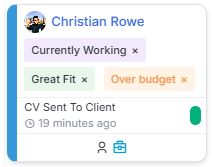
✨ Longlist & Shortlist Categories
When pursuing candidates for a Job, you can now categorise them beyond their Placement Status using Longlist and Shortlist Categories.
Flag each candidate with up to three categories for more granular organisation. These categories are fully filterable in their respective areas and automatically carry over as candidates progress from Longlist to Shortlist.
This gives you greater flexibility in your workflow whilst providing a quick, visual way to see how candidates are grouped at a glance.
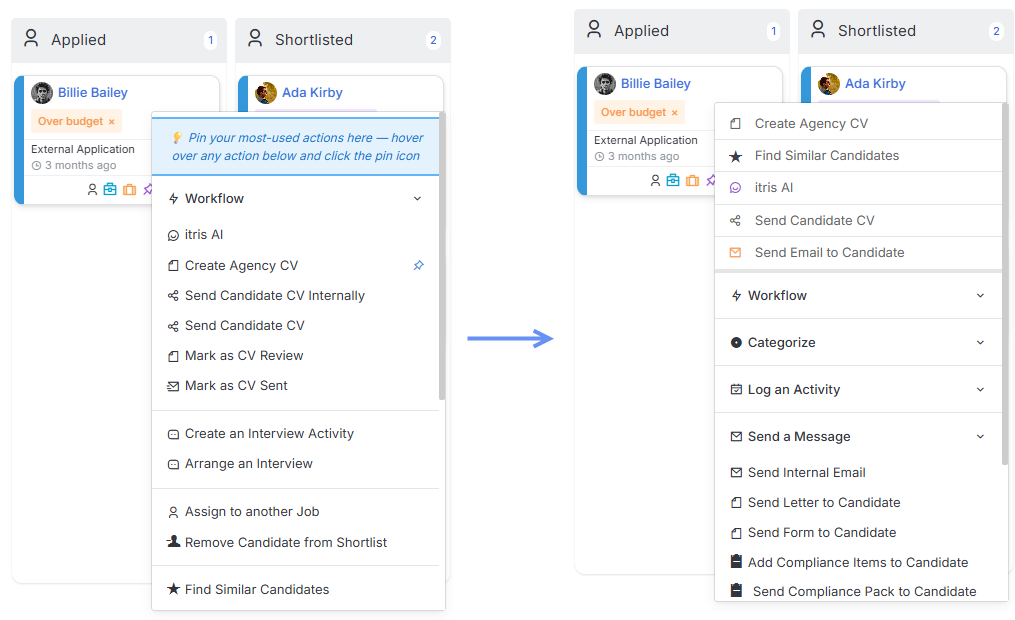
✨ Pinning Shortlist Actions
The Shortlist card menu includes numerous actions – from workflow options and logging activity to applying categories and opening linked records.
You can now pin up to your ten most-used actions to the top of the menu, keeping them front and centre for quick access. A small change that makes a big difference to your daily efficiency.
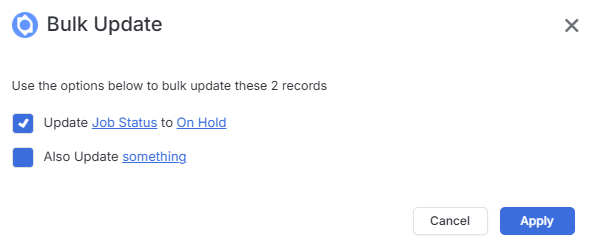
✨ Reason for Status Bulk Update
To round out our feature allowing you to filter for jobs by Reason for Status, we’ve now added Status to our Bulk Update for Job Records. That way, if you have a group of jobs which are closed abruptly and you want to track the reason, you can do so in bulk.
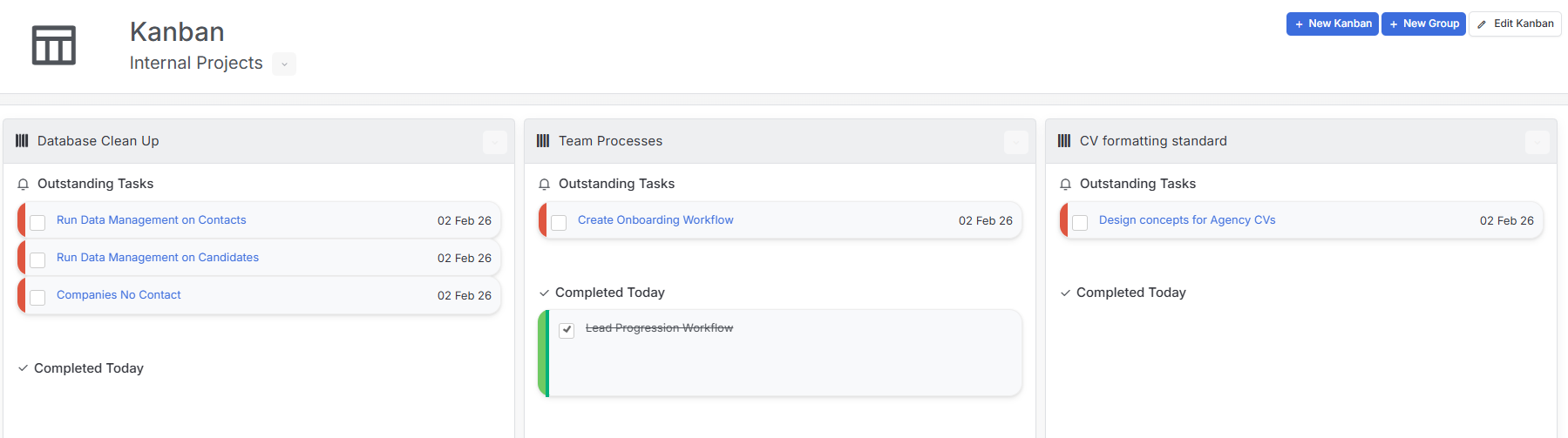
✨ Kanban Board
Kanban boards help manage tasks visually and collaboratively—a digital version of sticky notes with tasks displayed as cards moving through workflow stages. Drag and drop tasks between groups as they progress. Ideal for compliance tracking, business development, and operational improvements.
✨ Licences
We’ve made some UI changes in Tools and Settings to it is easier to view and manage your licences for Texts and Background checks (coming soon).
✨ WhatsApp Integration
itris X now integrates with WhatsApp Business, enabling you to send messages, receive replies, and manage conversations directly within your recruitment workflow. Whether you’re following up on applications, scheduling interviews, or maintaining client relationships, WhatsApp integration brings instant, personal communication to your fingertips. Support for both Business Initiated Messages and consent-based messaging ensures you can engage contacts in the way that best suits your business model.
✨ Template Organisation
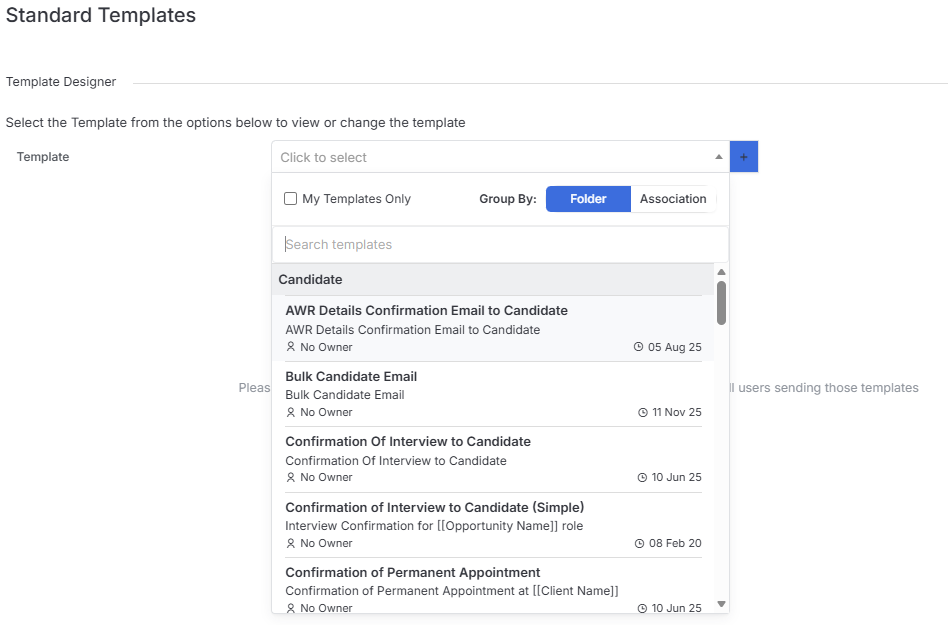
Finding the right template is now easier. When sending templates, you’ll see additional details including the Subject line, last updated date, and whether it’s one of your own templates. You can also filter to show only your personal templates.
In the Tools and Settings Template area, you have even more control with the option to filter by Association or Folder alongside all the existing search and view options.
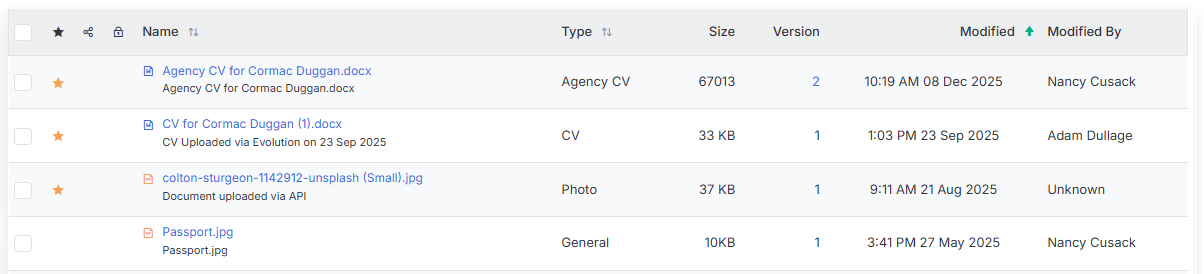
✨ Document Sorting by Date Modified
Documents across all record types now default to sorting by Modified Date, with the most recent files appearing first rather than alphabetically by Name.
This change means you’ll spend less time scrolling through lengthy document lists to find what you need. Whether you’ve just uploaded a new CV, saved a client contract, or attached meeting notes, the files you’re most likely to need are right at the top. It’s particularly helpful when working with candidates or clients who have accumulated numerous documents over time – you can quickly access their latest information without having to remember exact file names or manually resort the list.
The new default better reflects how most people actually work with documents: focusing on the most current and relevant files first.