✨Market Candidates to Multiple Contacts
Sending speculative CVs as a business development strategy can open doors to new client opportunities. You can now easily market candidates to multiple contacts via the Action button in Contact Record Views.
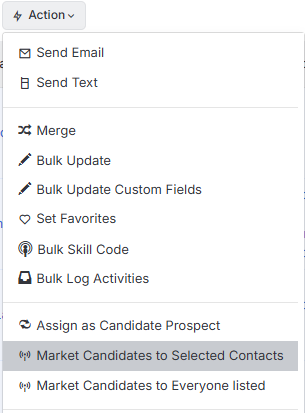
This workflow uses Market email templates containing the Market Candidate Summary tag, which automatically pulls key candidate information—such as name, location, desired salary and more—directly from the candidate record. This ensures consistent, comprehensive candidate presentations while eliminating manual data entry.
The email received by the contacts will contain a link to view the Candidate CV.

✨Quick Approve & Reject
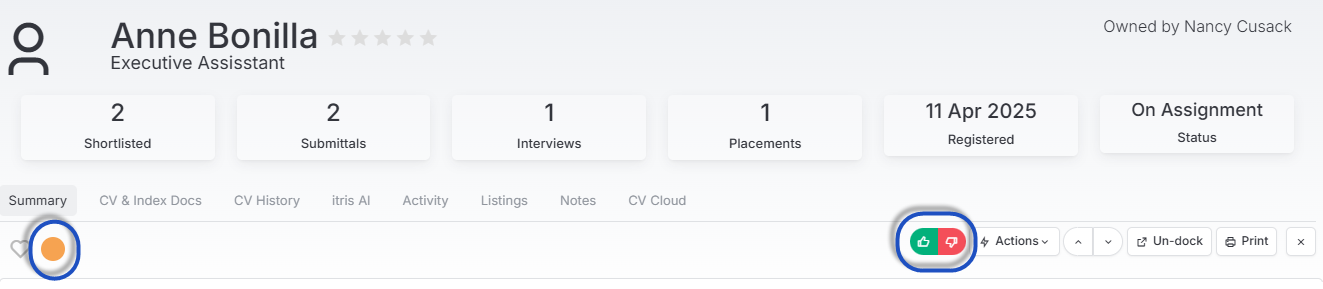
To streamline your workflow, you can now quickly approve or reject candidate submissions directly from the Candidate Quick View panel within a job record.
For candidates at either the External Application or Shortlist stage, simply use the thumbs up or thumbs down buttons to make your decision. This immediately updates the RAG flag colour to green for approved candidates or red for rejected ones, giving you instant visual feedback on submission status.
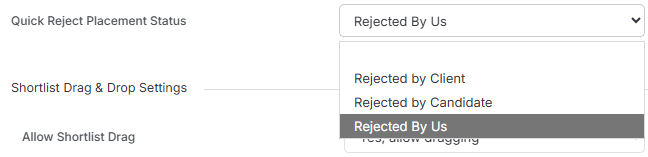
To accompany this improvement is a new setting has been added to Placement Settings to set the status that applies when a candidate is approved or rejected.
✨Candidate View | Job History
So that you an be more informed at a glance, a new column has been added to the Candidate Record View. The new All Jobs column allows you to see the statuses achieved by the Candidate against jobs they’ve previously been submitted to jobs.

✨Off Limits Indicator
To help ensure you stay compliant, we’ve made Off Limits much more visible for Candidates and Contacts.
Firstly we’ve added the indicator to the Quick View and Quick Search for both Candidates and Contacts.

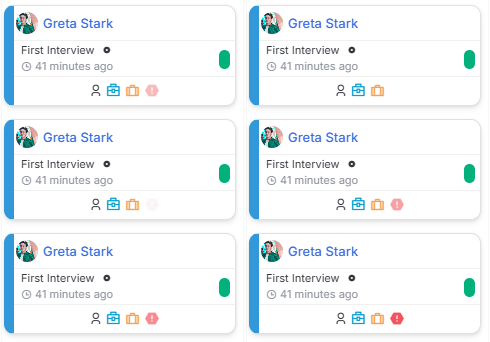
For Candidates, you’ll also see this indicator on Job Shortlist cards.