
Introduction
Agency CV Templates are managed within Tools & Settings, which is accessed via the profile menu.
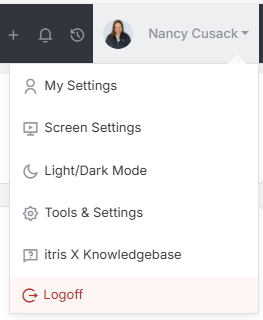
Within Tools & Settings under the Templates sub-menu you will find Agency CV Templates.
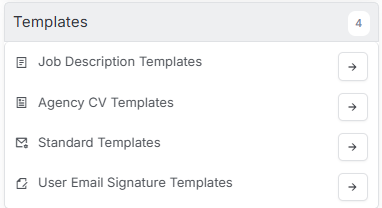
Please note access to this area is permission based, see the article Tools & Settings | User Groups for more details on permissions.
How to create and manage Agency CV Templates is detailed below and you can have as many templates as required. When creating or editing Agency CV templates, ensure you save before navigating away.

Template Designer
From within the Template Designer area you can use the drop down to view existing Templates (e.g. to edit them), delete existing templates or create a new templates.
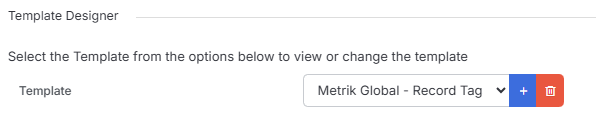
Creating a New Template
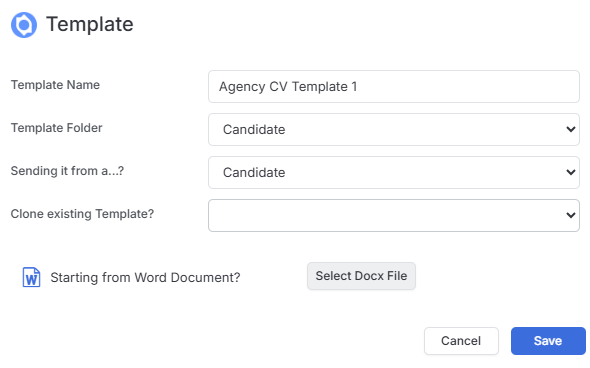
When creating a new template you will need to name it and select the relevant folder/Sending From options - for Agency CVs these will normally be Candidate.
You can choose to clone an existing template or if you already have a Docx file created for your Agency CV (for example with logos, tables etc) you can upload this. Please note headers and footers will not be recognised from the Docx, but can be merged into an Agency CV when creating it, please see the article Agency CVs for more details.
Template Details
This will display the details added at the point of creating the new template and can be edited here if required. Additionally you can choose for the template to be private to you (the creator of the template).

Template Text
This is where you create the content of the Agency CV Template.
There are a number of editing options such as Tags, formatting, tables, images, page breaks, horizontal lines, special characters and more that allow you to create truly beautiful, branded and stylish templates.
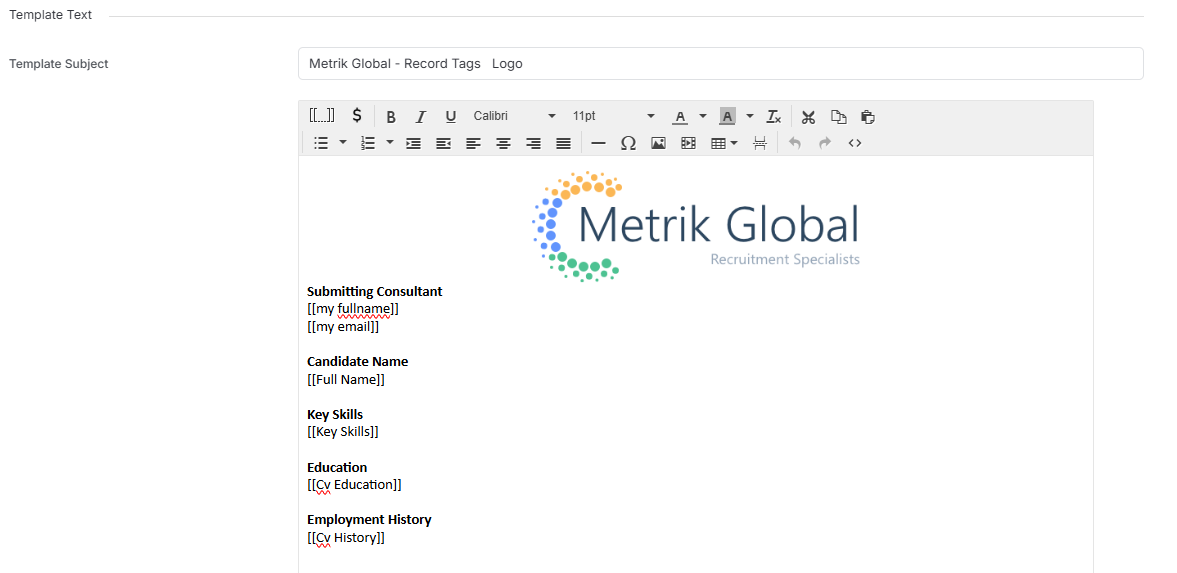
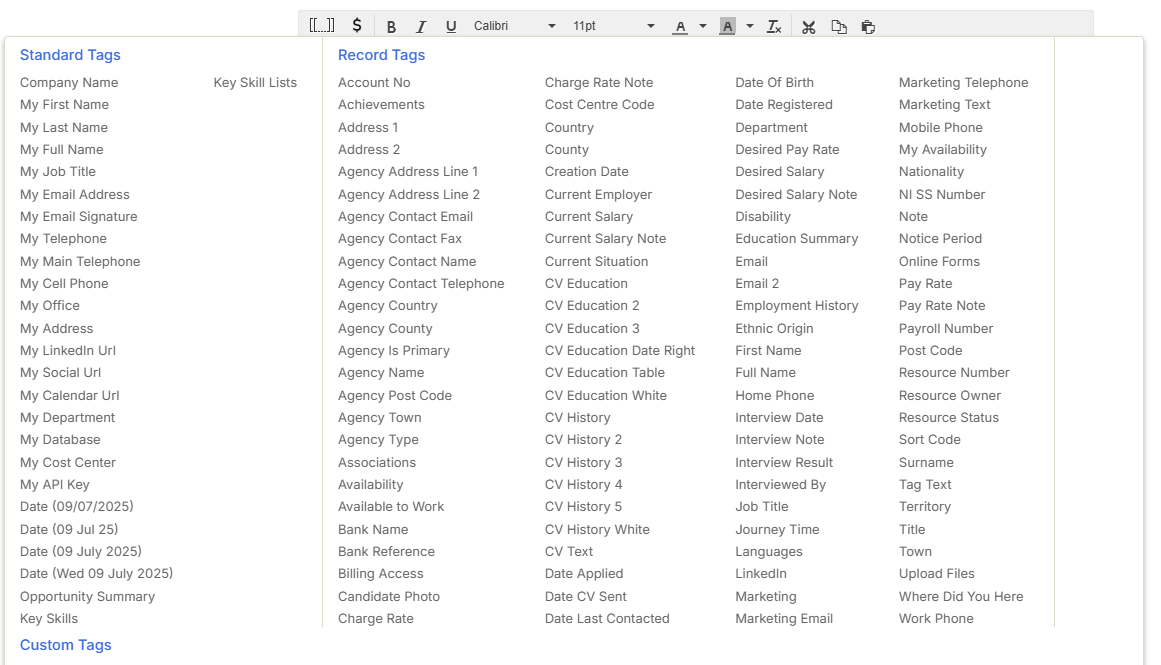
There is a large array of Tags that allow you to merge in data from the candidate record, including CV Text (if you want to use the candidates CV rather than data from their record), CV History, Education and even Custom Fields.
Remember to Save your Template once created. See the Agency CVs article for how to use your templates.