
Introduction
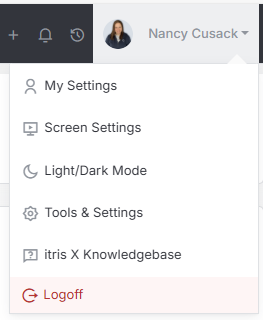
The Deleted Records area is found within Tools & Settings, which is accessed via the profile menu.
Within Tools & Settings under the Security sub-menu you will find Deleted Records.
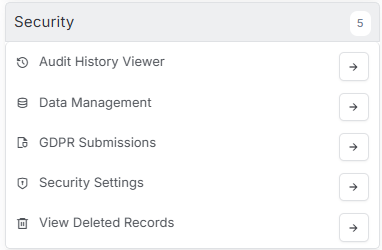
Please note access to this area is permission based, see the article Tools & Settings | User Groups for more details on permissions.
Recovering Deleted Records in itris
We’ve all been there - you’re working away in itris and accidentally delete something important. The good news? You don’t need to worry! When you delete any record in itris (whether it’s a Company, Contact, Lead, Job, Campaign, Invoice, User, or Activity), it doesn’t actually disappear forever. Instead, itris uses what’s called a “soft delete,” which means your record is simply moved to a special holding area called the Deleted Records section.
This safety net means you can easily recover any deleted records if you need them back.
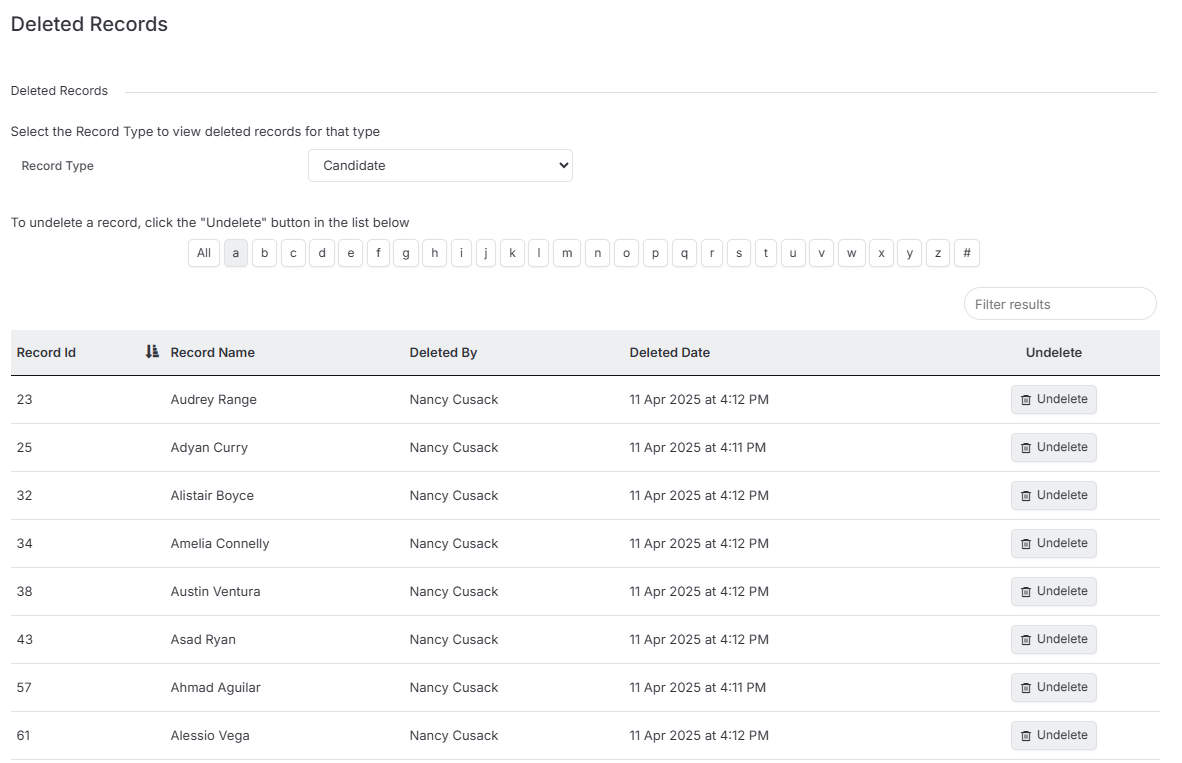
Finding Your Deleted Record
Once you’re on the deleted records page, you’ll see a handy drop-down menu that lets you filter by record type. Simply select the type of record you’re looking for - this makes it much easier to find what you need rather than scrolling through everything.
After selecting your record type, you have a couple of options for locating the specific record:
- Use the alphabet navigation to jump to records starting with a particular letter
- Type the name directly into the search bar for faster results
Getting Your Record Back
Found the record you need? Great! Recovery couldn’t be simpler - just click the “Undelete” button next to the record. A confirmation popup will appear asking if you’re sure you want to undelete the record. Click “Yes” and you’re all set.
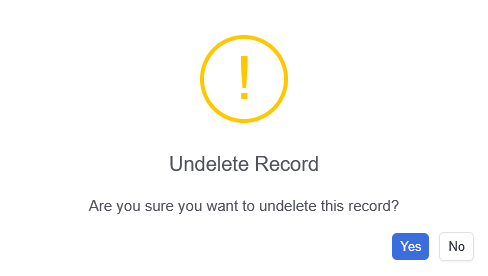
That’s it! Your record is now restored and back where it belongs. You can verify this by using itris’ quick search feature - you’ll see that your record is active again and ready to use. The whole process takes just a few clicks, so you can get back to work without missing a beat.