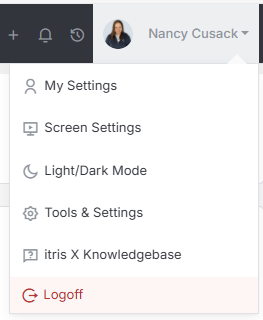
Introduction The Audit History View is found within Tools & Settings, which is accessed via the profile menu.
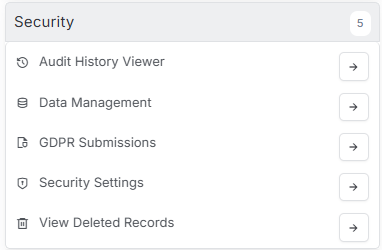
Within Tools & Settings under the Security sub-menu you will find Audit History Viewer.
Please note access to this area is permission based, see the article Tools & Settings | User Groups for more details on permissions.
Understanding the Audit History Viewer in itris
The Audit History Viewer is your go-to tool for keeping track of what’s happening in your itris system. Whether you need to see what changes have been made to a specific record or check what team members have been up to, this feature has you covered with two main sections that work together to give you complete visibility.
Finding Record History
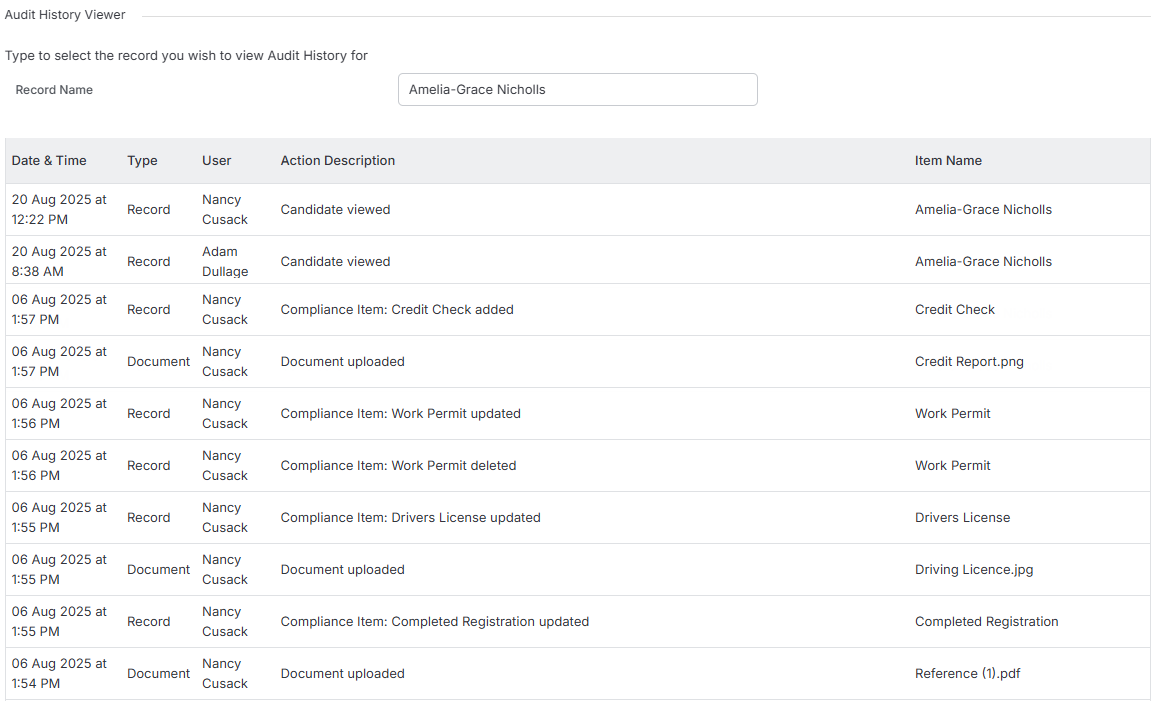
The main Audit History Viewer is where you can view changes to specific records. Here’s how it works: you simply start typing in the search bar to look for any individual record in your system.
As you type, a handy drop-down menu will appear with matching results, so make sure you select the exact record you’re looking for from this list rather than just typing and hitting enter. Once you’ve clicked on your chosen record, you’ll have instant access to a complete activity log showing you everything that’s happened with that record over the past 180 days.
This 180-day window gives you a solid historical view while keeping the data manageable and relevant.
Monitoring User Activity
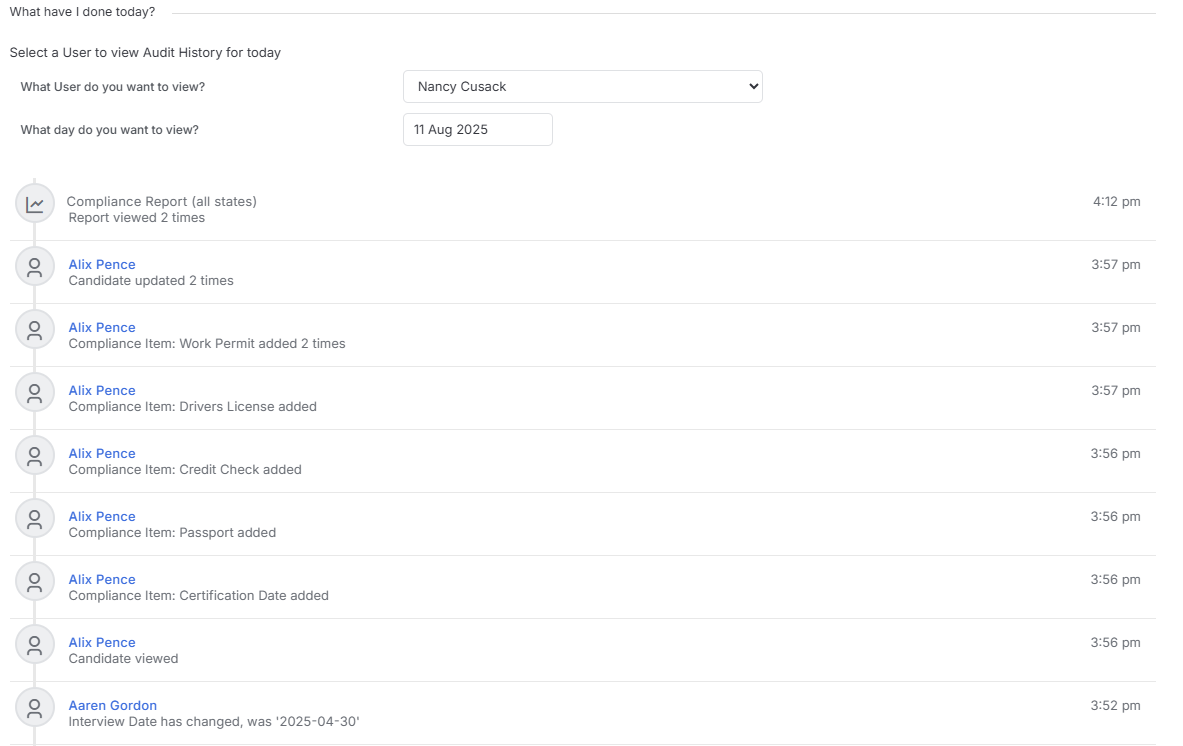
The second part, “What have I done today”, is particularly useful for managers and administrators who need to keep an eye on team productivity and activities. You’ll need admin permission settings to access this feature, but once you do, it opens up a whole new level of insight.
You can select any user from the drop-down menu to see exactly what they’ve been working on. By default, this tool shows you activity from today giving you a real-time snapshot of recent work. However, you’re not limited to just today - you can change the date to view activity from other days (or date ranges) when you need a broader perspective.