Introduction
Products & Services are housed within Tools & Settings, which is accessed via the profile menu.
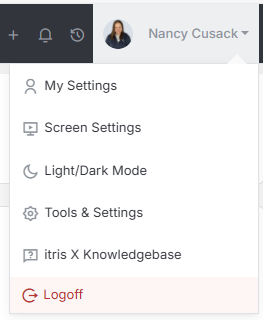
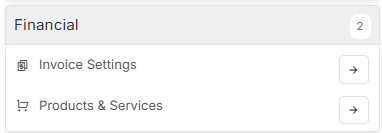
Within Tools & Settings under the Financial sub-menu you will find Products & Services.
Please note access to this area is permission based, see the article Tools & Settings | User Groups for more details on permissions.
Getting your Products & Services set up properly in itris is one of those things that’ll save you loads of time down the road. Once you’ve got them configured, your team can quickly add them to Jobs and Invoices without having to remember codes, prices, or which currency to use each time.
Product Groups
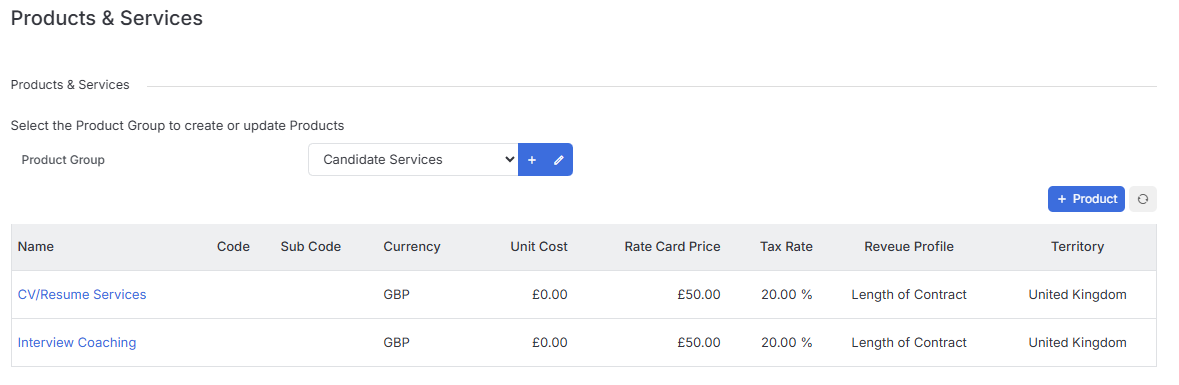
The first step is to set up your Product Groups. Think of these as your filing system - they help keep everything organized and make it much easier to find what you’re looking for later.
You can add new Product Groups by clicking the plus icon in the relevant section.
Adding Products & Services
Find the Product Group you want to work with, then click the + Product button to create new.
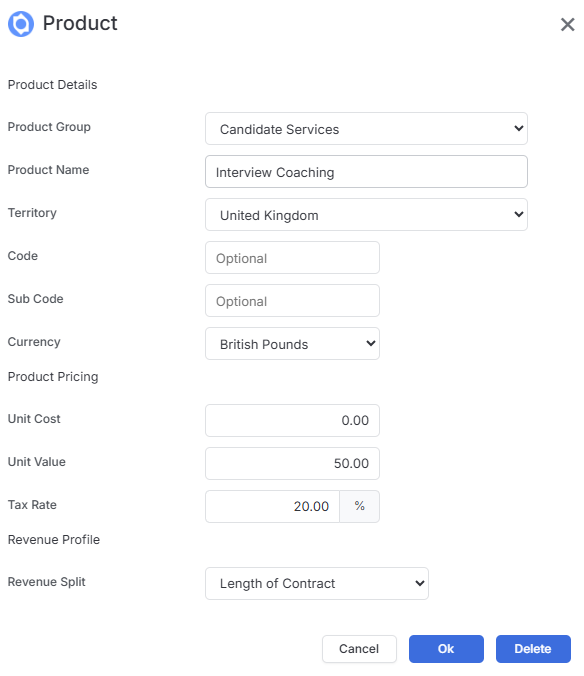
Give it a proper name and check the group. You can change the group if you need to, and make sure you give your product or service a name that your team will recognize easily.
Territory selection. If you’re working across multiple territories in your system, make sure you select the right one for this particular product or service.
Codes keep things tidy. You may wish to assign a code to each product - usually a 2-3 letter abbreviation of the name works well. You can add a sub code too if that makes sense for your business. Don’t forget to select the appropriate currency while you’re at it.
To help keep track of your margins there are the following settings:
- Unit Cost is what the item actually costs you - think of it as the raw ingredients if you’re making a cake, or what you pay a supplier if you’re outsourcing something like a system migration. If it’s internal work, this might be zero.
- Unit Value is your selling price - how much you’ll charge the client for that cake or migration service.
Having both figures means itris can show you your margins at a glance, which is incredibly useful for understanding how profitable different services are.
Tax rates. Make sure you add the appropriate tax rate for each product or service - it’ll save you headaches later when you’re generating invoices.
Monthly billing. If you’ve got a product or service that gets charged monthly, you can set this up using the Split Revenue dropdown. Just select the number of months for the contract length.