
Introduction
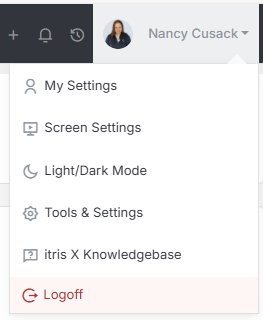
Mandatory Fields are managed within Tools & Settings, which is accessed via the profile menu.
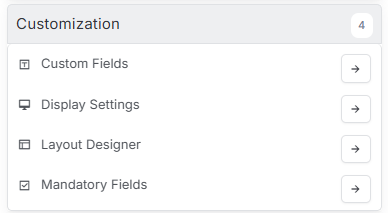
Within Tools & Settings under the Customization sub-menu you will find Mandatory Fields.
Please note access to this area is permission based, see the article Tools & Settings | User Groups for more details on permissions.
The settings available in the area are detailed below, once you are happy with your selection you will need to save these settings before navigating away.

Mandatory Fields
Enforce Mandatory Fields
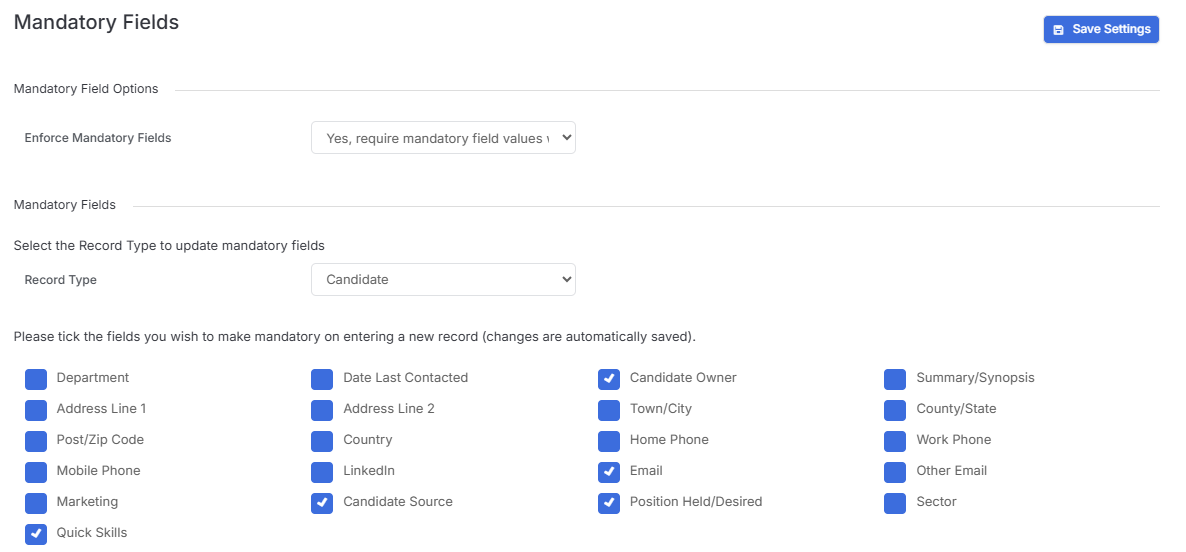
Mandatory fields can be enforced at the point of saving a record. This means any of the selected fields will need to be completed before the record can be saved. You will be notified of which field needs filled out by a red highlight around the field inside the record.
Mandatory Fields
These can be set for each record type by first selecting it from the drop down. Once selected the options below will reflect the available fields to set as mandatory for that record type. Simply check the fields you wish to make mandatory.
In addition to being prompted to complete these fields at the point of creating records, you will also receive an alert when saving existing records that don’t match the mandatory criteria.