
Introduction
Quick Search is itris’ universal search tool that lets you locate any record using either names or Id numbers.
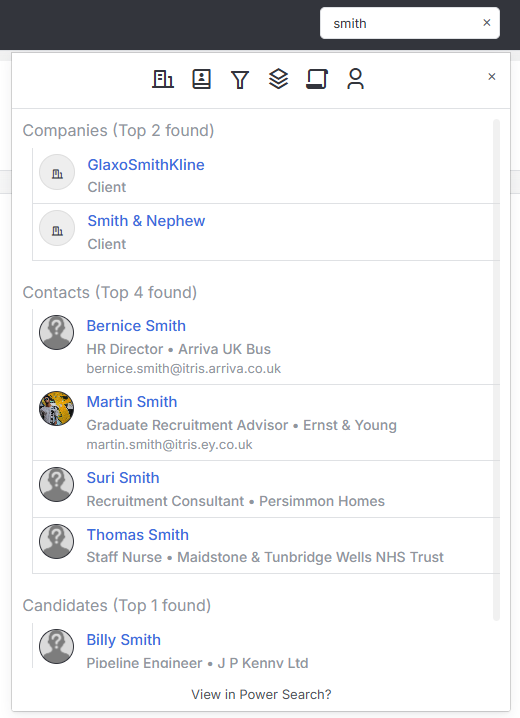
The system provides results with partial name matching, accent handling, and intelligent prioritisation when Smart Search is enabled. Quick Search works across all record types and includes hover previews for immediate access to contact details.
Results appear instantly as you type, automatically grouped by record type for easy scanning.
Search Methods
Search by Record Name
Quick Search finds records using full or partial names, making it easy to locate records even with incomplete information.
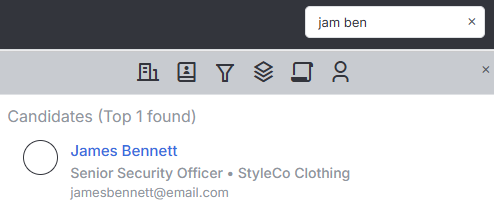
Quick Search offers sophisticated name matching capabilities. You can search using partial names, so typing “Jam Ben” will successfully locate “James Bennett”.
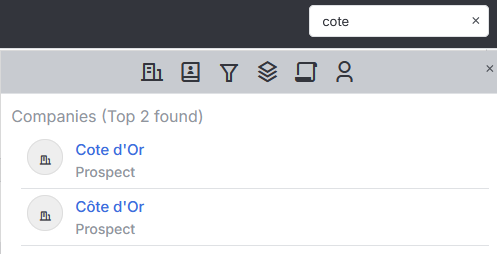
The system also handles accents intelligently, finding records with accented characters even when you search without them.
Filtering
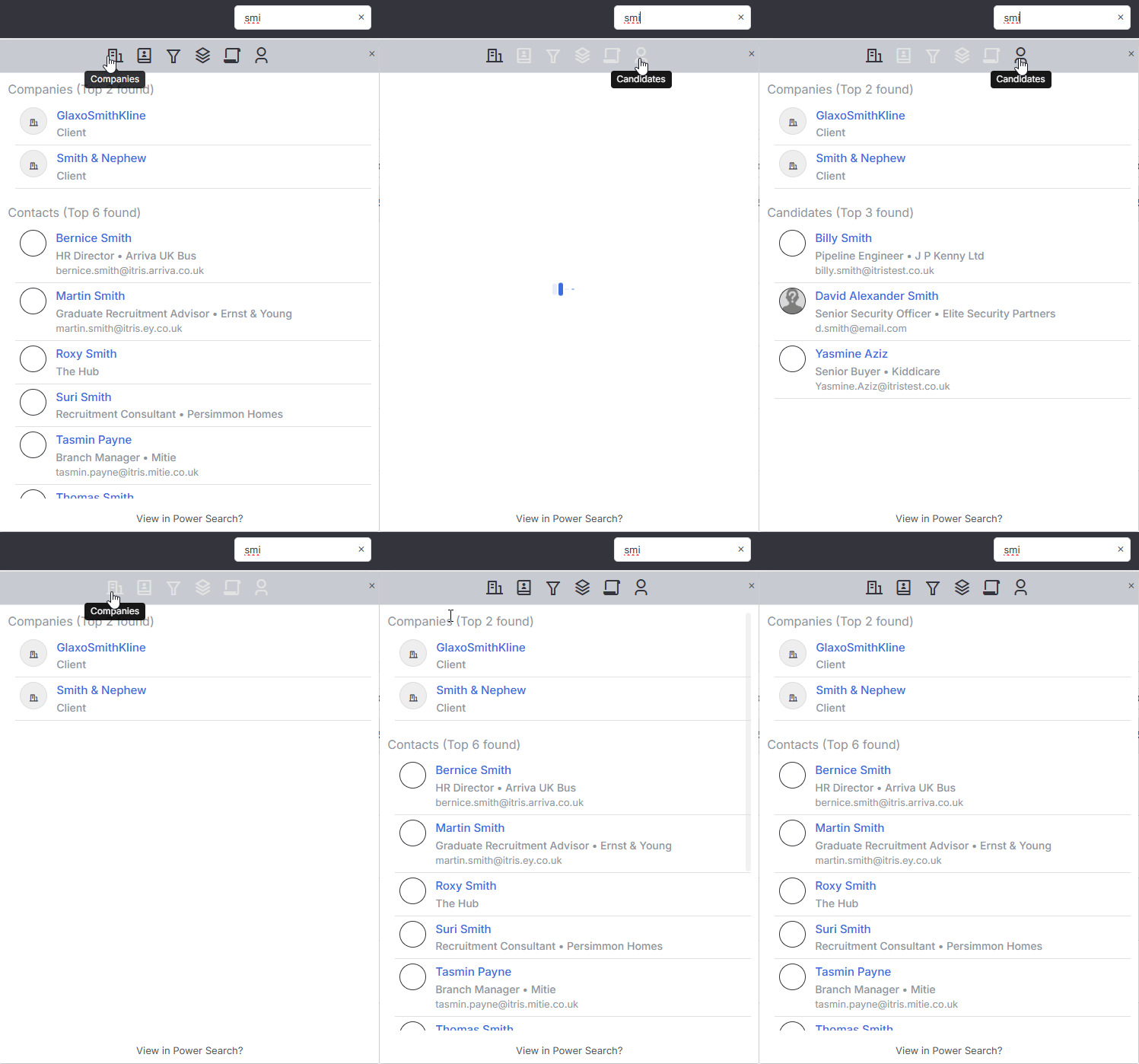
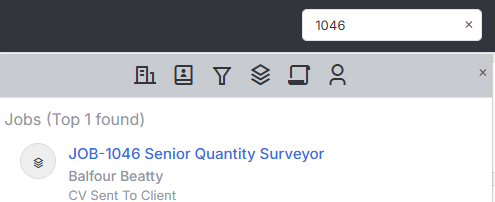
Use the record type icons at the top of results to filter by specific record types (Candidates, Jobs, Leads, etc.).
Search by Record ID
For precise record lookup, search using Id numbers with these format requirements:
For Jobs and Lead records, you can search using either the full format like Job-1004 or Lead-2156, or simply use the Id number alone such as 1004 or 2156.
Candidate and Contact records require a minimum of three digits, so for a record with Id 9 you would search for 009, for Id 47 you would enter 047, and for longer IDs like 234 you can search as normal.
Smart Search Enhancement
Enable Smart Search in My Settings to transform your search experience with intelligent result prioritisation. The system will show records you own at the top of results, followed by recently viewed items, ensuring your most relevant records are always within easy reach.
You can also customize the order in which different record types appear in your search results.
See the My Settings article for detailed configuration instructions.
Record Preview
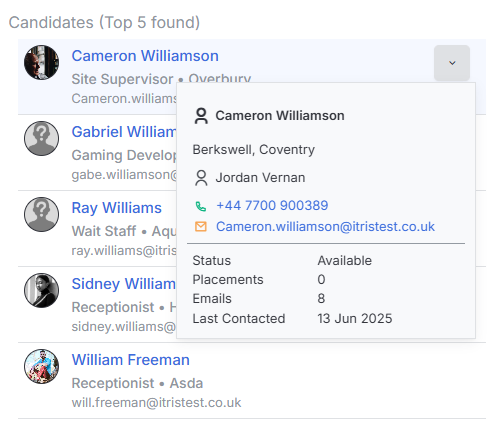
Hover over any search result to access the quick preview panel, which provides essential record details alongside direct dial links for phone numbers and one-click email options. This preview gives you immediate access to key information and contact methods without needing to open the full record.
Tips for Effective Searching
To get the most from Quick Search, start typing immediately without clicking in the search box first. Use partial names for faster results, and if your initial search doesn’t locate the record you need, try different name variations or spellings. Remember that Candidate and Contact Id searches require a minimum of three digits to return results. Quick Search works across all record types in itris, making it consistently the fastest way to access any information you need.