Introduction
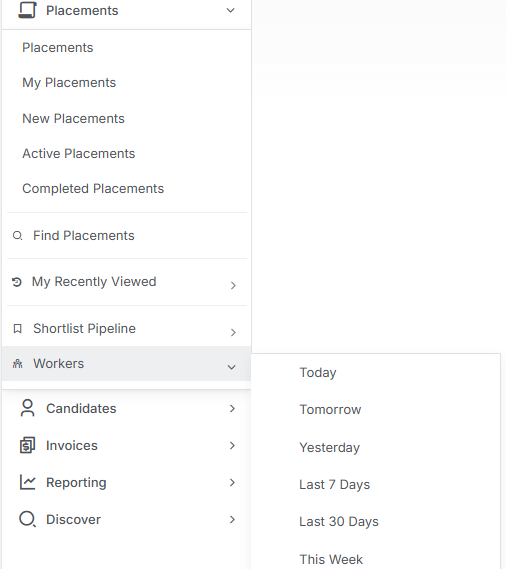
Within the Main Menu Record View options for Placements are two options to help you view specific types of placement records based on their status without having to manipulate the filter, these are Shortlist Pipeline and Workers.
Shortlist Pipeline
The Shortlist Pipeline is your go-to dashboard for getting a bird’s-eye view of your entire recruitment process, allowing you to see exactly where every candidate sits across all your active roles and submission stages. This powerful feature lets you drill down from the big picture to the specific details that matter most - whether you want to filter by particular job types, focus on candidates with specific skills or experience, or zoom in on a particular stage of the process to see who needs your attention next.
Under the Menu Bar > Placements > Shortlist Pipeline are pre-filtered placement statuses, giving you quick and easy access to view all candidates at each stage, or you can view All Pipeline.
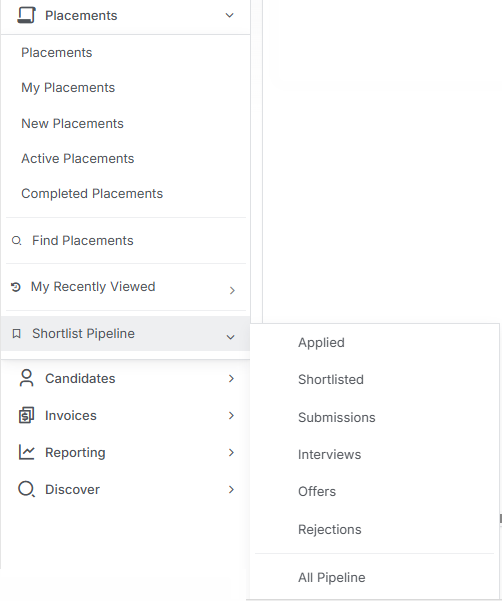
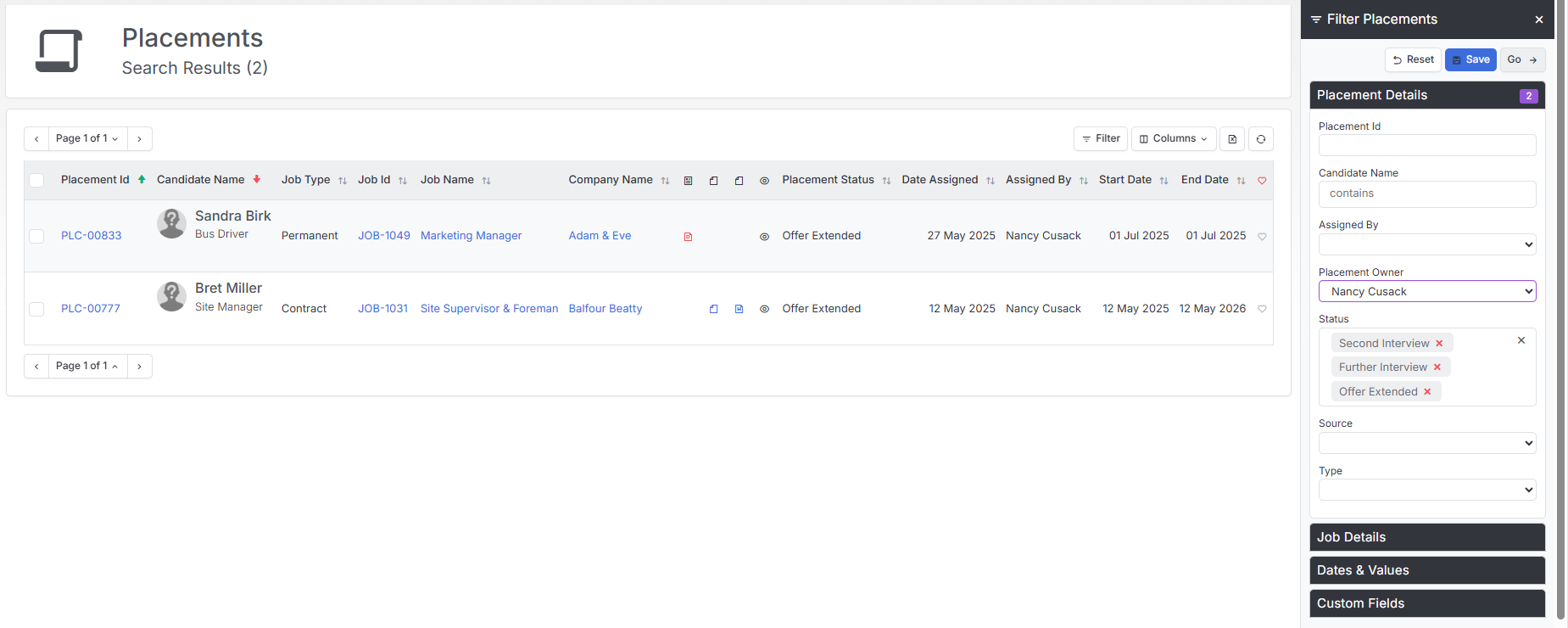
Whichever view you choose, via the filter you can add further criteria as required, for example where you are the placement owner, job type, dates and more. You may choose to Save these to My Views so that you can easily access these filtered views. See the articles Find Records and Record Views for more details on filtering and managing Views.
Workers
Having your placements organised by timeframes like today, yesterday, or next week makes it easy for you to see what needs doing and when - no more frantically scrolling through endless lists trying to remember who you were supposed to ring back.
The “Workers” view allows you to access a list of workers for one of the following time periods:
- Today
- Tomorrow
- Yesterday
- Last 7 Days
- Last 30 Days
- This Week
- Last Week