
Introduction
Off limits is a way to flag candidates or contacts who shouldn’t be contacted or considered for roles. When you set someone as off limits, you can choose what restrictions apply and for how long, helping you stay compliant with requests and avoid awkward situations.
Setting Off Limits
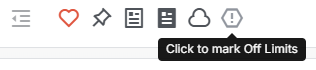
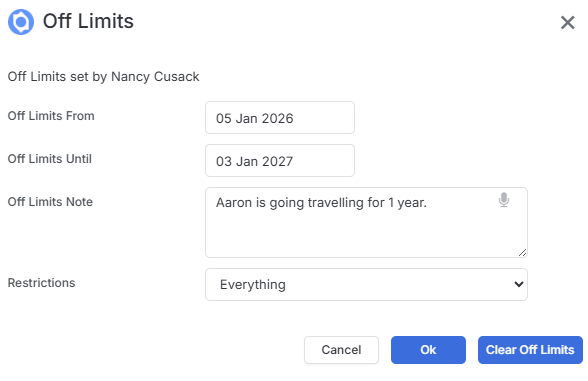
To set off limits on a record, click the Off Limits icon in the records banner.
Add a date range for when the restriction should apply. You can also add an optional note to explain why this person is off limits—this is helpful for keeping your team informed about the context.
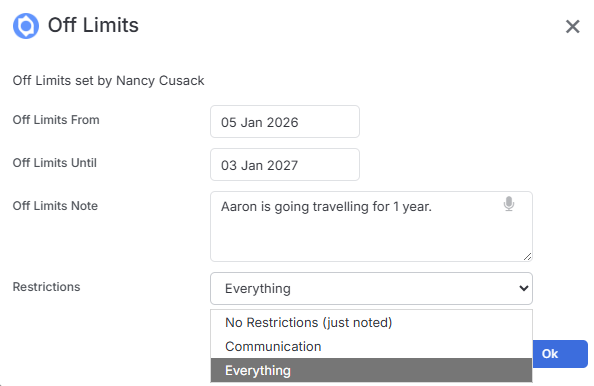
Choosing Your Restriction Level
itris gives you three levels of restriction, so you can apply exactly the right level of control:
- No Restrictions – This is essentially a flag that shows the person is off limits, but doesn’t actually prevent any actions. They can still be contacted and, if they’re a candidate, added to shortlists. The off limits status will simply display inside their record as a heads-up.
- Communication – This prevents you from reaching out to the person. If they’re part of a list and you go to send a template email, their email address won’t be included when you select that list. However, if they’re a candidate, you can still add them to jobs.
- Everything – This is the full restriction. You won’t be able to communicate with them and you won’t be able to add them to jobs before the end date you’ve set.
How Off Limits Appears in itris
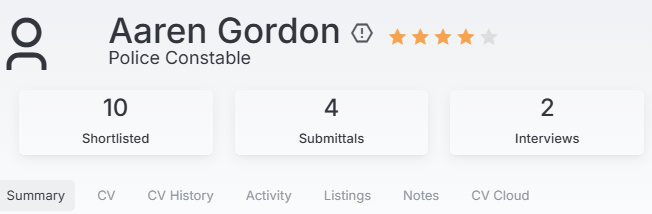
Once you’ve set someone as off limits, the icon will flash on their record to make it immediately visible.
Off limits indicators also appear in:
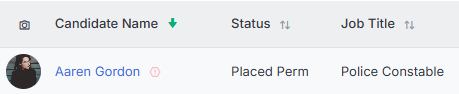
- Lists (such as Record Views and Send Lists)
- Record Quick Views
- Submission cards
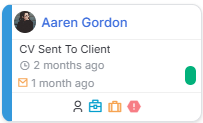
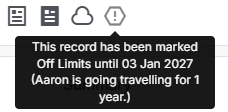
Hover over any indicator to see the details, including the restriction type and any notes you’ve added.
Communication or Everything Restrictions
When you set off limits for Communication or Everything, you’ll notice several changes throughout itris on refresh:
In the candidate or contact record:
- Communication details (email, telephone) are greyed out in the Address & Contact Information block
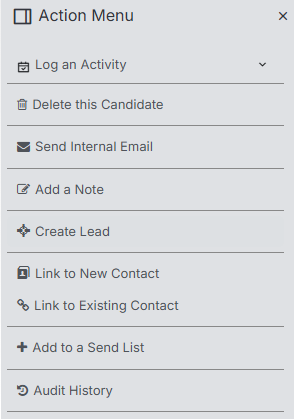
- Communication options are missing from the Action Menu
- The option to add this candidate to a job is no longer available in the action menu (for “Everything” restrictions)
When working with jobs:
- You won’t be able to use the quick add feature to add the candidate to a shortlist. If you type their name in the quick add search, nothing will appear
If the candidate is already on a job:
- The off limits indicator will display on their submission card
- You can hover over it to see the notes
- You’ll still be able to progress them through stages if needed
Clearing Off Limits
To remove an off limits restriction, simply click back onto the off limits icon and choose Clear Off Limits. The record will return to normal and all restrictions will be lifted.
User Permissions
Your organisation can control who has permission to remove off limits restrictions through user group privileges. If this has been configured, some users may not be able to clear off limits even if they can see them. See the article Tools & Settings | User Groups for more details on managing these permissions.