
Introduction
Jobs Lite is your free, ready-to-use jobs page that lets you display all your “open” published jobs quickly and easily. The best part is that there’s absolutely no coding required! You’ll get your very own jobs website with a single URL that you can start using immediately.
You can access your Jobs Lite site using this URL format: https://portal.itris.app/Opportunity/Lite/?db={clientdatabasename}
With Jobs Lite, you’ll enjoy several powerful features right out of the box:
- Instantly go live with your open, published jobs
- Customization options including your logo and brand colours
- Built-in filtering so candidates can search by keywords, location, and work type
- Two application options: candidates can either submit their CV or register for a specific job
- Individual landing pages for each published job, perfect for sharing on social media or in emails
Jobs Lite gives you everything you need to start accepting applications immediately, with the flexibility to customize it to match your brand and workflow preferences.
Setting Up Your Jobs Lite Site
Customizing Your Branding
By default, Jobs Lite will automatically use your uploaded logo and pull the background colour from your Display Settings > App Background Colour. When you adjust this colour, it updates the entire Jobs Lite site to match your branding.
Publishing Jobs to Jobs Lite
Getting your jobs live on Jobs Lite is straightforward:
- Go to your Job record > Jobs Posting tab
- Toggle on “Publish to My Website”
- Use the ‘Go to My Jobs Lite Site’ button to view this job and all your other posted positions
When candidates apply through Jobs Lite, they come directly into the job record in itris—no manual data entry needed! Ensure you have the Applied group showing in your Submissions area.
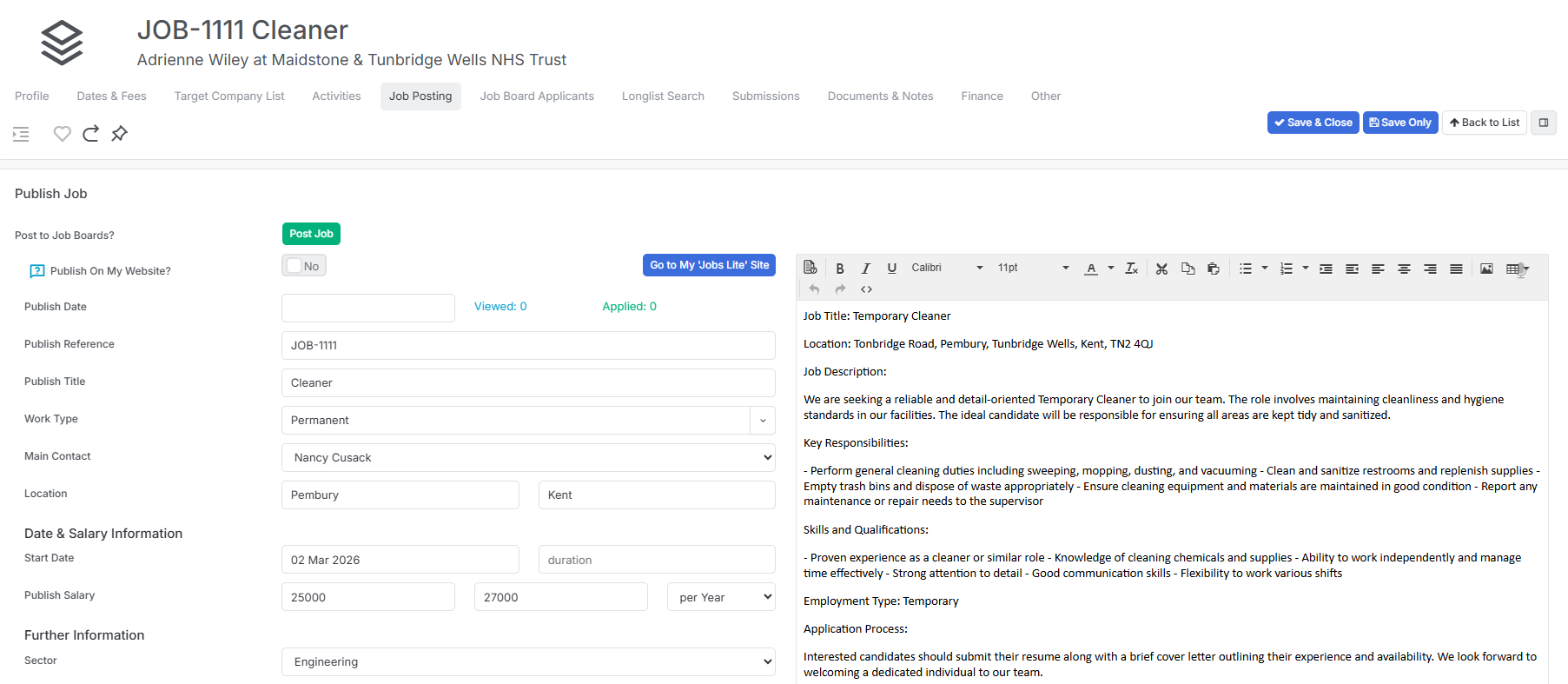
Sharing Individual Job Links
Each job also has its own direct apply link that you can easily copy and paste. You’ll find this link at the bottom of the Job Posting section in the job record. For example, this is perfect for sharing on social media platforms, or emailing longlisted candidates (you can email up to 50 applicants at a time this way).

The Candidate Experience
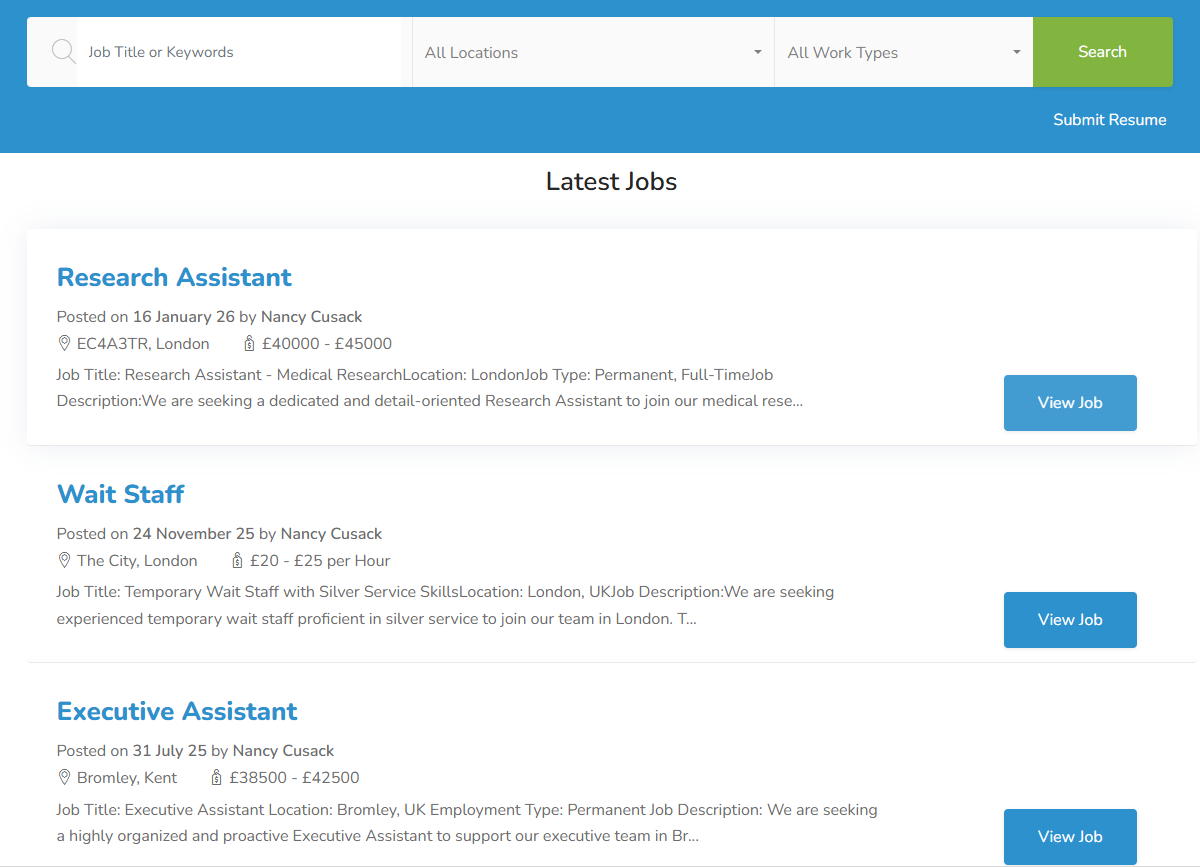
Browsing Jobs
From the Jobs Lite site, candidates can easily navigate your opportunities:
- Filter the job list by job title or keyword, location, and work type
- View full job details including the job description, key information, and even a job location map
- Click “Apply Now” to start their application
Applying for Jobs
The application process is smooth and user-friendly:
- Candidates complete an “I am not a robot” verification screen
- They can choose to either manually complete the application form or upload their CV using drag-and-drop
- When a CV is uploaded, itris automatically parses it to populate the form fields
General CV Submission
Candidates can also submit their CV without applying to a specific job. When they do this, they’ll complete a form and be added to your general candidate pool for future opportunities.
How Candidate Data Flows into itris
When candidates apply through Jobs Lite, itris intelligently handles their information:
- New candidates who don’t already exist in your database will have their records automatically created
- Existing candidates will have their records updated with the new information
- In both cases, if they’ve applied to a specific job, they’ll be linked to that job record automatically and reside within the Applied Group in Submissions.
- itris parses the CV to create or update the candidate record with relevant details