
Introduction
This feature takes all the guesswork out of finding the right opportunities for your candidates.
Instead of manually scrolling through job after job trying to remember what might be a good fit, the system does the smart work for you by comparing your candidate’s details against the search criteria you’ve set up on each role. It’s like having a personal assistant who never forgets a detail and can instantly spot the perfect matches - saving you tons of time while making sure you don’t miss any golden opportunities that could be sitting right there in your job list.
Via Tools & Settings | Job settings you can choose for this feature to find Candidates that includes both a radius and Boolean search criteria, or just Boolean.
How Job Matching Works
The magic behind finding matching jobs lies in how the system uses your existing Long List criteria - it’s not just looking at basic skills profiling, but diving much deeper into the search parameters you’ve already set up.
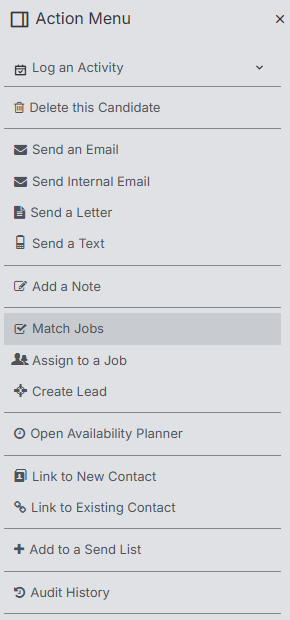
You can run Job Match from the Action Menu of the Candidate record.
What Gets Matched
When the system searches for suitable jobs, it’s working with several key elements:
- Boolean search criteria - Any specific search terms you’ve specified
- Semantic matching - The system understands context and related terms, where you have specified on the job
- Location radius - If you’ve set geographic parameters, these get factored in too
This approach means you’re getting matches based on the same thorough criteria you’d use when manually searching for candidates, but flipped around to work for your candidate.
What Jobs Are Considered
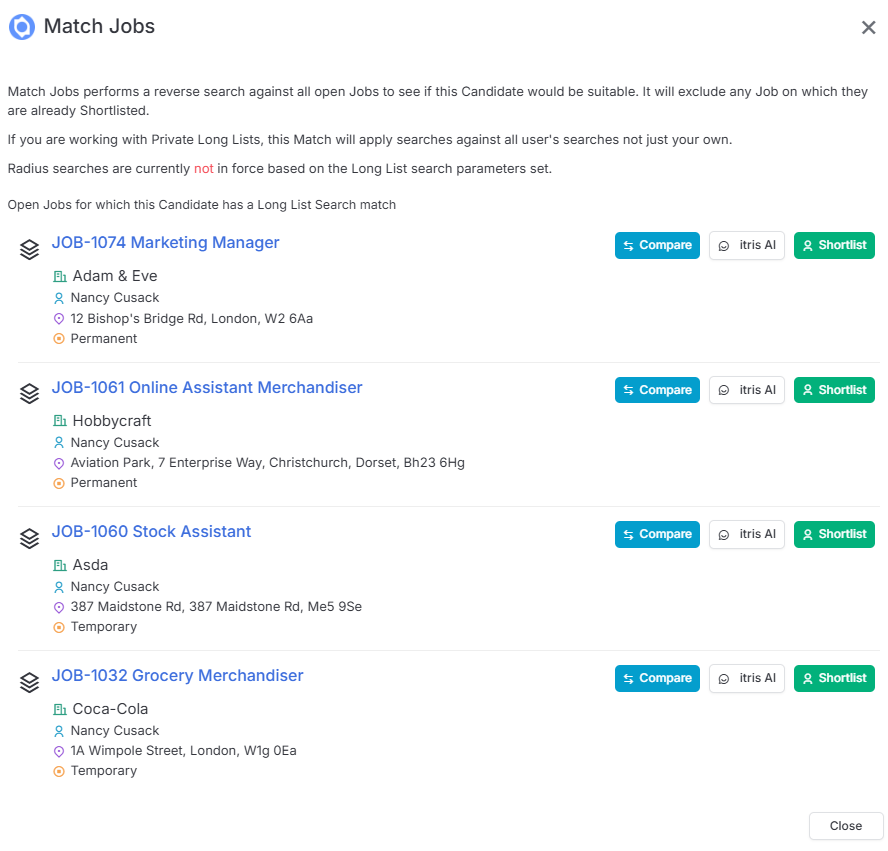
The system keeps things clean and relevant by only showing you jobs that make sense. itris will only consider “Open” jobs that have boolean criteria specified.
Additionally, itris will exclude any jobs where your candidate has already been shortlisted, so you won’t waste time on duplicates.
Your Next Steps
Once you’ve got your list of matching jobs, you’ve got some powerful tools at your fingertips:
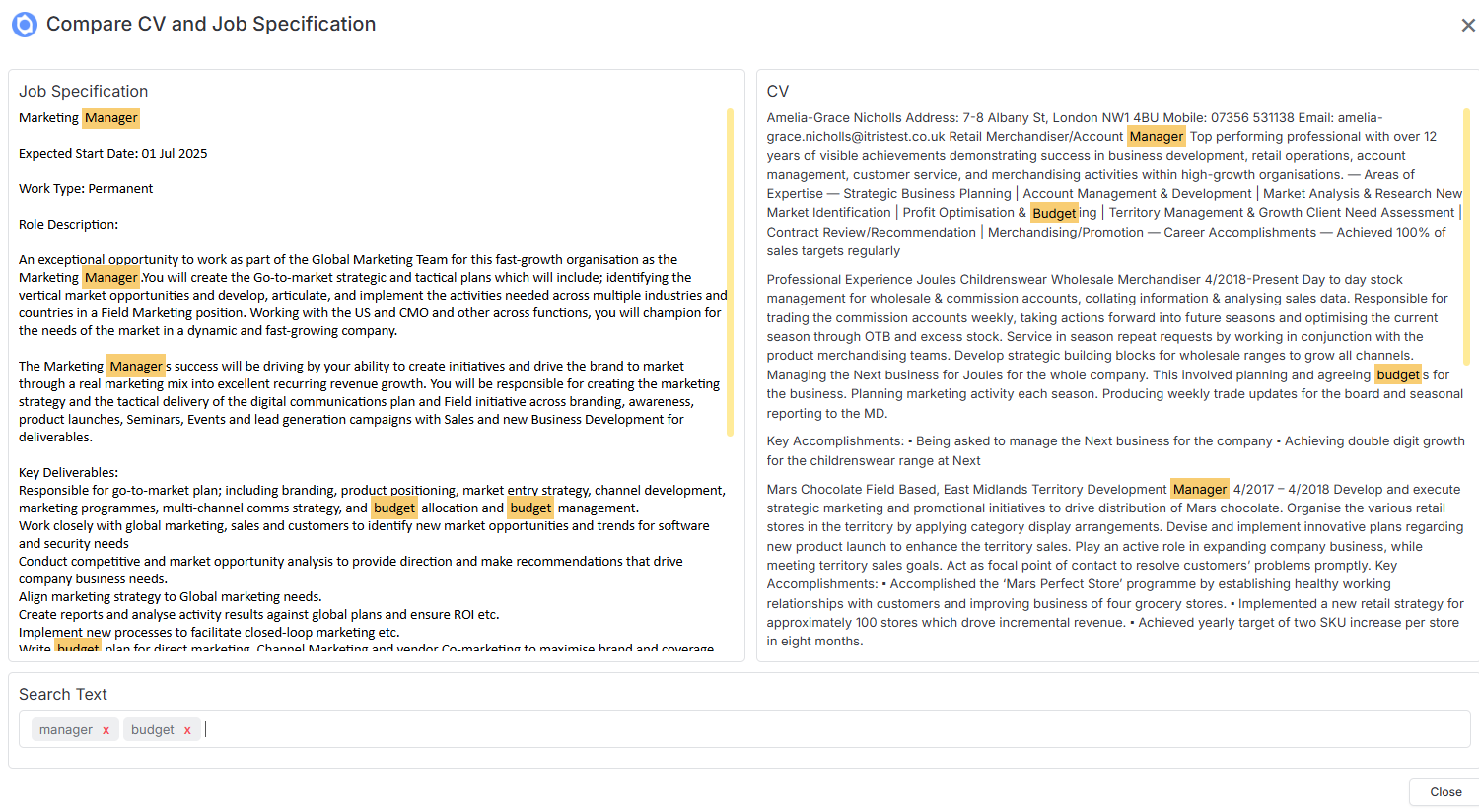
Compare
This lets you view the candidate’s CV right next to the job spec, and you can even search for specific words across both documents.
itris AI assistance
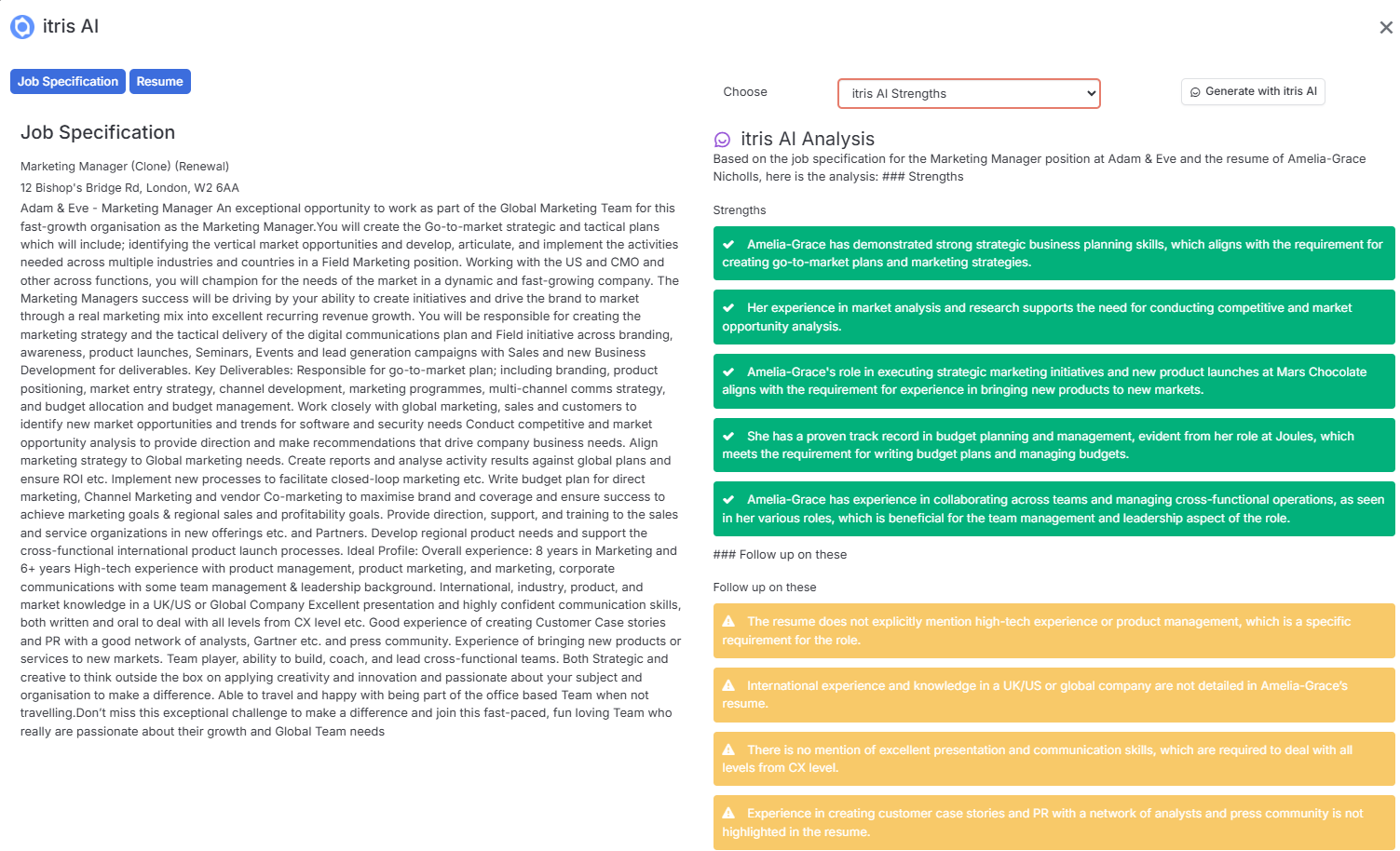
The AI can compare your candidate against the job spec to highlight their strengths and flag areas you might want to follow up on, or give you a side-by-side summary.
Shortlist button
When you spot a perfect match, just hit this to instantly add your candidate to the relevant shortlist.