Introduction
Instead of clicking through records one by one, bulk updates let you make the same changes to multiple records in seconds.
You’ll find bulk actions scattered throughout itris. The specific options available will depend on what type of records you’re working with and where you are in the system. Below is are details on where they are available in itris and what you can update via each of those actions.
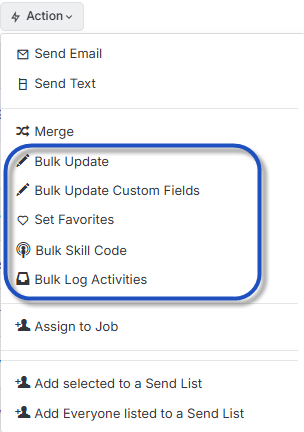
These are the main bulk update functions.
- Bulk Update
- Bulk Update Custom Fields
- Bulk Skill Code
- Bulk Log activities
Bulk Update options
Bulk Update will update the data on a record, the specifics of the options available are listed below.
This function is available on all Main Record Types Record Views (Company, Contact, Lead, Job, Candidate), Invoices, Job Record Shortlist, and the Activities area.
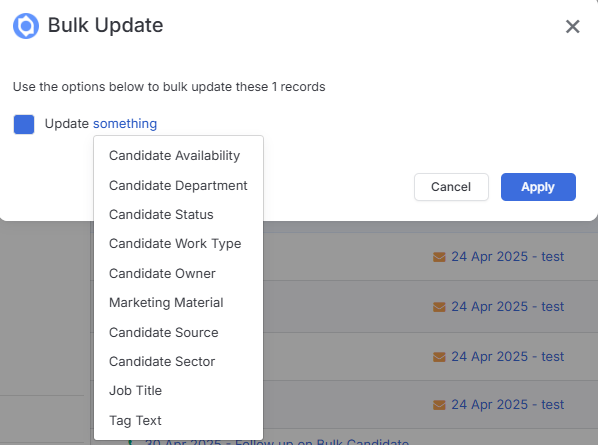
The following update options are available:
- Candidate Record - Availability, Department, Status, Work Type, Owner, Marketing Material (e.g. Opt In/Out), Source, Sector, Job Title, Tag Text
- Company Record- Department, Owner, Rank, Type, Vertical, Parent, Sector, Status, Source, Tag Text
- Contact Record - Business Unit, Department, Owner, Role, Type, Marketing Material (e.g. Opt In/Out), Sector, Status, Source, Tag Text
- Lead Record- Department, Owner, Status, Sector, Source, Tag Text
- Job Record - Type, Business Type, Department, Owner, Status, Sector, Source, Tag Text, Publish on My Website, Job Publish Date
- Placement Record - Status, Job Sector, Candidate Sector, Contact Point, Source, Assigned By
- Invoices - Status, Date, Due Date, Template
- Shortlist - Job: Type, Business Type, Department, Owner, Status, Source, Title, Sector - Candidate: Department, Status, Work Type, Owner, Marketing Material, Source, Sector - Placement: Status, Contact Point, Source, Assigned By
- Activities - Status, Type, Assigned User, Date
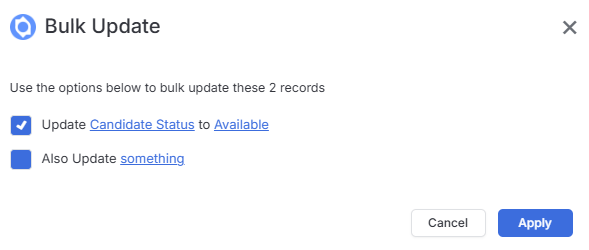
Once you’ve picked the item you want to update you’ll need to specify what you want to update to, you’ll then be given the option to update something else.
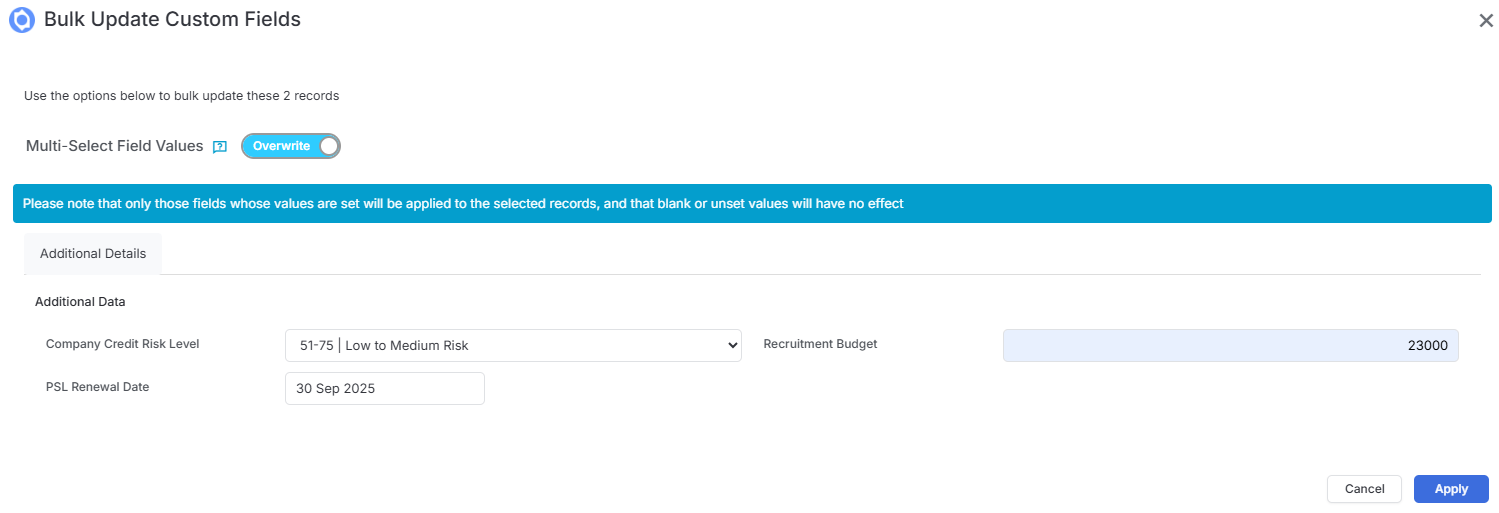
Bulk Update Custom Fields
Another great time saver is the ability to Bulk Update Custom fields.
This is available on available on all Main Record Types Record Views (Company, Contact, Lead, Job, Candidate), Invoices, Job Record Shortlist, and the Activities area. Where Custom Fields support multiple values, you can choose to overwrite or append those values.
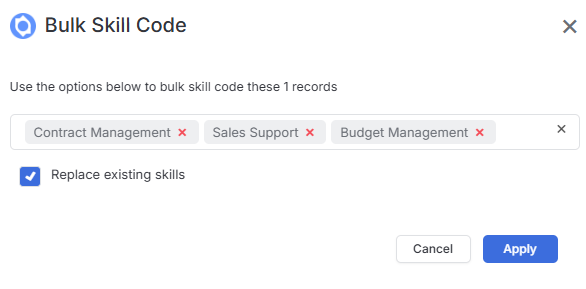
Bulk Update Skills
Use Bulk Update Skills to either append or replace the Quick Skills on a record.
This action is available via Candidates and Contact Record Views, and a Job Record Shortlist.
Bulk Log Activities
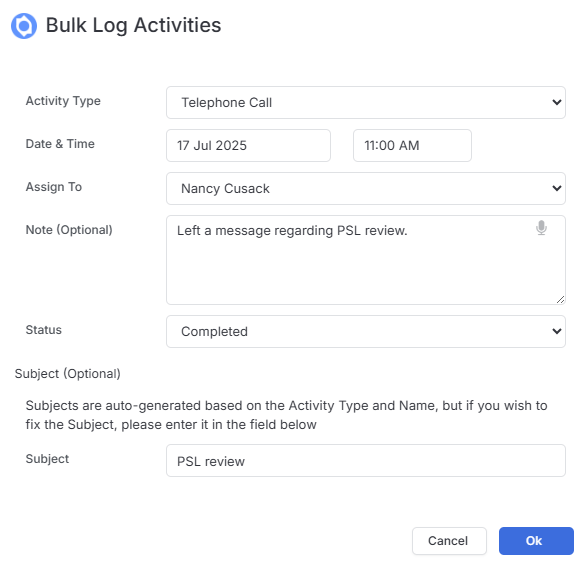
Bulk Log Activities allows you to record activities against multiple records in one go. Note that Dictate is available to save you typing the notes. If the Subject is left blank itris will auto generate it for you.
This action is available on Candidates and Contact Record Views, Job Record Longlist and Shortlist.